Brainshark features

Explore what Brainshark offers — from day-to-day workflows to advanced capabilities.

7 features

Analytics & Reporting

Powerful dashboards and reports help you understand training engagement, completion rates, and course effectiveness. Measure learner progress, content impact, and readiness trends to make informed decisions and improve training outcomes.

Interactive Experiences

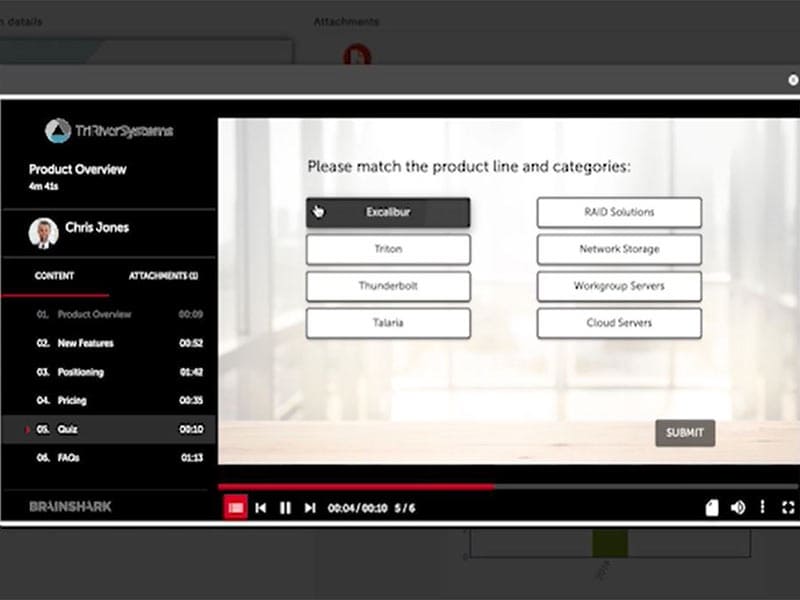
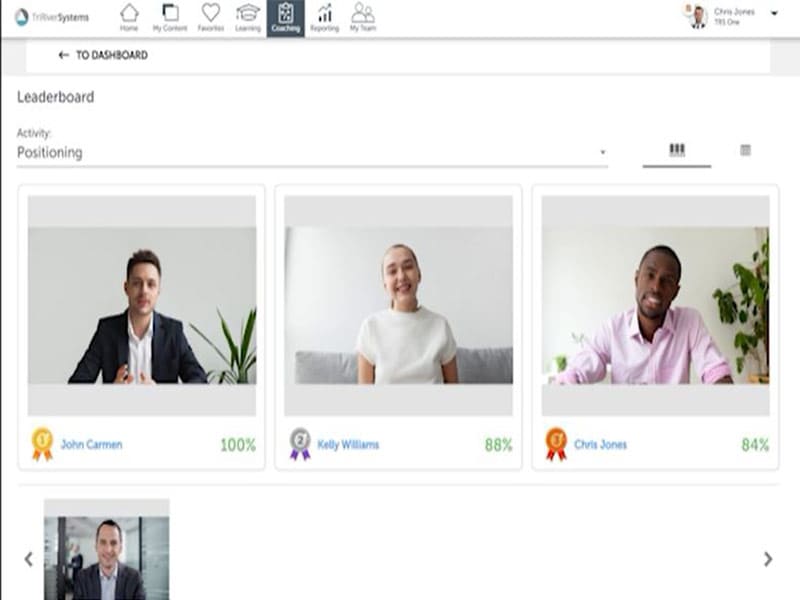
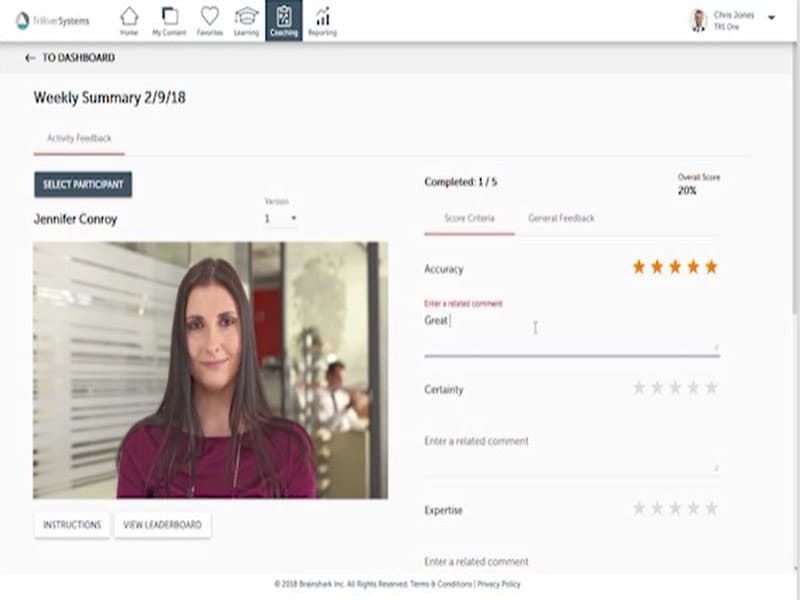
Engage learners with dynamic, interactive training content that goes beyond static lessons with a Brainshark login. These features let you build immersive learning paths, quizzes, video coaching, and hands-on practice that keep users focused and improve retention.

Conversation Intelligence

This feature captures and analyzes spoken interactions during practice or real sessions, giving insights into tone, clarity, and messaging. Sales teams use these insights to refine pitches and boost communication skills.

Content Personalization

This system allows you to tailor training and learning content to individual roles, skill levels, or performance needs. Personalized paths ensure each learner sees the most relevant material, boosting motivation and training efficiency.

Relationship Intelligence

With this, you can understand buyer interactions and team communication patterns to strengthen engagement. Brainshark com maps relationship signals so teams can build better rapport and align training with real-world engagement needs.

GenieAI

An embedded AI assistant that supports content creation, search, coaching scenarios, and on-demand guidance. GenieAI helps sellers find relevant resources, simulate pitches, and get contextual support without switching tools. 

Digital Sales Rooms

Trainees can create secure, branded digital spaces where teams and buyers can interact. These shared spaces centralize resources, presentations, and training assets, enabling smoother collaboration and engagement across sales cycles.

What is Brainshark?

Brainshark LMS is best for empowering customer-facing teams to deliver results fast through structured readiness, content management, and engagement tools in one platform. It supports mobile-first, bite-sized training, realistic practice, and personalized coaching to strengthen sales performance.

With easier content discovery, stronger virtual meetings, and device-agnostic access across operating systems, Brainshark helps teams stay prepared, confident, and customer-ready no matter where they work.

What is Brainshark LMS Best For?

Brain Shark LMS system is best for sales readiness, performance visibility, and revenue acceleration. It helps leaders see the bigger picture with robust analytics and reporting dashboards that identify who is customer-ready and who needs coaching. With GenieAI sales technology, teams boost productivity and access insights instantly.

Relationship Intelligence uncovers hidden connections for warm introductions, helping sellers engage prospects more effectively, strengthen customer relationships, and drive measurable business growth without manual data entry.

Brainshark Integrations

Third-party apps and tools integrations are supported by this LMS software solution, which includes:

  • Seismic
  • Salesforce
  • Highspot
  • TopOPPS
  • Google Calendar
  • SalesLoft
  • MIcrosoft Dynamics

How Much Does Brainshark Cost?

The vendors offer a cost per user with annual subscription plans. You can contact the sales team for a tailored Brainshark pricing quote.

How To Use Bitincan Brainshark?

Add your unique credentials for a Brainshark login and navigate to the intuitive dashboard. You can utilize the given training features for evaluations. Those modules include quizzes, assignments, and tasks. You can make engaging course content such as documents, multimedia, and presentations. Moreover, the trainee’s progress can be easily monitored through performance reports, which include participation, course completion rates, and assessment scores.

You can watch a free Brainshark demo for a detailed and visual representation of its usage and functionalities.

Brainshark Alternatives

Brainshark alternatives include:

Who Can Use Brainshark?

Diverse industrial sectors can leverage the HIPAA Brainshark LMS platform, including:

  • Government
  • Telecommunication
  • Retail
  • Life Sciences
  • Manufacturing
  • Technology
  • Financial services

Why Choose BrainShark?

Opting for HIPAA Brainshark means giving your sales team a competitive edge with on-demand training that actually sticks. This secure, enterprise-grade platform lets you turn existing slides into interactive videos and reach a global audience in 35 languages instantly. With built-in tools to push data directly to your CRM and create custom add-ons, it fits perfectly into your current workflow. It’s the smartest way to ensure your team stays prepared, compliant, and ready to close deals from anywhere.

For a more detailed walkthrough, contact our software experts, they will guide you about the suitability of this system with your business requirements and user demands. You can also watch a free demo and read the unbiased Brainshark reviews.


Training Management Included
Activity Dashboard Included
Authorized Permissions Included
Asynchronous Learning Included
Learner Portal Included
Activity Tracking Included
Applicant Monitoring Included
Access Controls Included
Collaboration Tools Included
Certification & Licensing Included
Attendance Tracking Included

Pros

4
  • Intuitive interface
  • Easy dashboard navigation
  • Mobile accessibility
  • Cloud-based features

Cons

1
  • Cost data is not given

Brainshark Reviews

Overall Rating

4.5

12 Review(s)

Rating Distribution

5

(6)

4

(6)

3

(0)

2

(0)

1

(0)

Share your experience
Thomas L.

Other

Ease of use
10
Value for money
10
Customer Support
10
Functionality
10

The Best Way to Sharpen Our Sales Skills

Pros

I can see exactly how people are using the training videos; the reports are super detailed and show what is actually working

Cons

The section inside Salesforce where we track our training can feel a bit messy and hard to navigate sometimes.

Diendara D.

Other

Ease of use
8
Value for money
9
Customer Support
9
Functionality
9

Learning That Doesn\'t Feel Like a Chore

Pros

It is so easy to add quick quizzes right into my website or presentations to make sure everyone understands the main points.

Cons

I wish there were more ways to change the layout and design of my slides directly inside the app.

Marcus T.

Technology

Ease of use
10
Value for money
10
Customer Support
10
Functionality
8

Reliable Training Whenever We Need It

Pros

Brainshark allows you to record your voice over slides without any fancy equipment, which makes creating new lessons fast and stress-free.

Cons

Sometimes the admin settings are a bit hidden, so it takes a few extra clicks to get things set up exactly right.

Frequently Asked Questions

A: It is a sales readiness learning management system that is now a part of Bigtincan. 

A: Certainly not, the Brainshark training software does not have a free plan available.

A: Yes, Brain Shark is cloud-based. 

A: English is the language that the Brainshark com supports.

A: Brainshark LMS allows buyers to get answers through phone support, chat assistance, help desk, knowledge base, and email. You can also get details about the Brainshark pricing.

A: There is a Brainshark app that provides remote convenience for training and sales enablement. Users can access the functionalities of this software platform through a single Brainshark login. 

A: Yes, the Brainshark REST API is available.

A: Certainly, iOS handheld devices like iPad and iPhone are supported by this digital learning software, with a requirement for a Brainshark login to access the dashboard, according to Brainshark reviews.

A: There is no HIPAA Brainshark free trial option, but you can also request a free demo.

A: Indeed, the apps this tool integrates with are Salesforce, SalesLoft, Google Calendar, Seismic, Highspot, and TopOPPS. 

A: Brainshark competitors include Gong, Mindtickle, Showpad, Allego, iSpringLearn, etc.