Overview
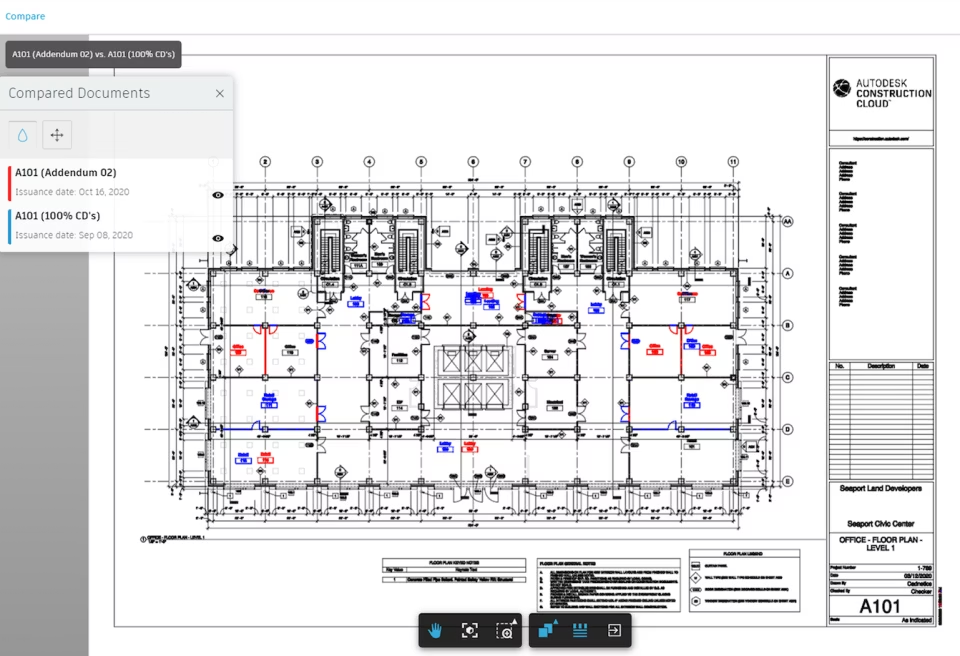
Autodesk Construction Cloud is a cloud-based construction management software that helps you manage projects, costs, and collaboration in one place. It connects your teams, data, and workflows so you can track progress in real time and reduce delays. If you handle multiple projects, you need a system that keeps everything aligned. This is where a construction cloud platform like Autodesk Construction Cloud stands out. It gives you full visibility from planning to execution without switching between tools. Autodesk designed this platform for modern construction teams that rely on data and coordination. You can use it to improve communication, reduce errors, and deliver projects on time. Many companies now prefer this type of construction cloud software because it replaces manual processes with automated workflows.
Autodesk Construction Software Specifications
Project planning and scheduling
Budget and cost tracking
Resource allocation
Document control
What Is Autodesk Construction Cloud?
Autodesk Construction Cloud is a unified construction cloud platform that connects project teams, workflows, and data across the entire project lifecycle.
You can use it for design coordination, cost control, and on-site execution. It combines multiple tools into one system, so you don’t need separate apps for planning, estimating, or reporting.
Unlike traditional project management software for construction, this platform focuses on real-time collaboration. Everyone works on the same data, which reduces confusion and errors.
It also supports construction estimating software functions by improving cost visibility and budget tracking. This helps you make better financial decisions during the project.
Autodesk Construction Cloud Pricing
Autodesk Construction Cloud pricing depends on your company size, selected modules, and project requirements.
You won’t find fixed pricing because Autodesk offers flexible plans. Most companies request a custom quote based on their needs.
.To get accurate pricing, you should request an Autodesk Construction Cloud demo . This helps you understand which features you actually need.
Who uses Autodesk Construction Cloud?
It is used by
- General contractors
- Specialty contractors
- Project managers
- Building owners
- Designers and architects
- Infrastructure teams
It works across industries, including:
- Commercial construction
- Industrial projects
- Residential construction
- Large-scale infrastructure
If you’re searching for building construction project software, this platform fits both small and enterprise-level operations.
Autodesk Integrations
Autodesk Construction Cloud connects with multiple tools to improve your workflow.
Popular integrations include:
- Dropbox
- Airtable
- Asana
- ClickUp
- Other third-party construction tools
These integrations allow you to connect your construction CRM software, document systems, and task management tools in one place.
This reduces manual work and keeps your data consistent across platforms.
How Does Autodesk Construction Cloud Work?
You store all project files, drawings, and documents in one system.
You assign tasks, set deadlines, and track progress in real time using construction scheduling software tools.
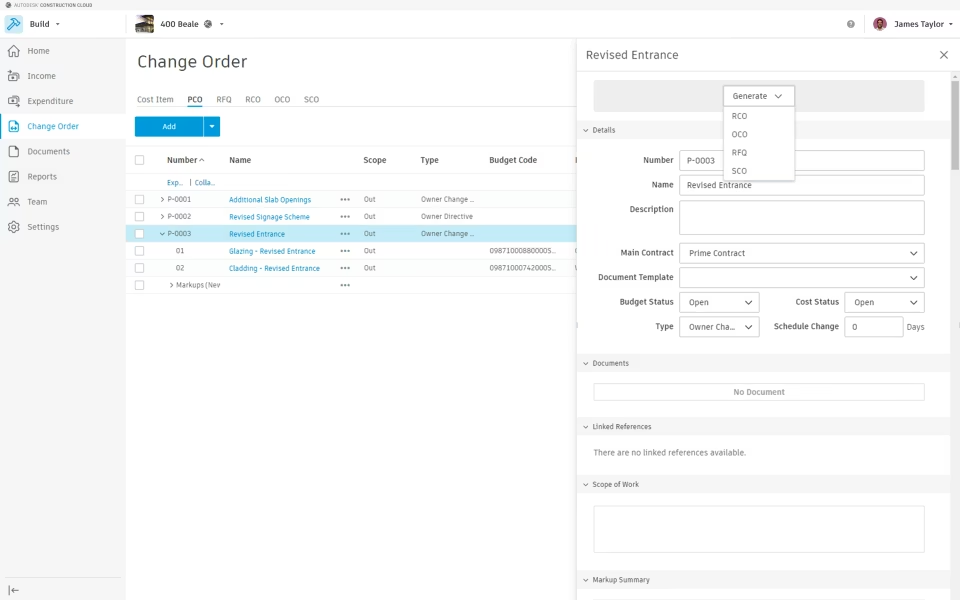
You monitor budgets, contracts, and expenses with built-in construction accounting software capabilities.
Your team members can access updates, submit reports, and communicate instantly.
You analyze project data to improve future outcomes.
This process helps you stay organized and avoid delays.
Choose Autodesk Construction Cloud for Advanced Construction Project Management Software
Choose this platform if you need:
- A reliable construction management software for large projects
- Better cost tracking and forecasting
- Real-time collaboration across teams
- A scalable construction ERP software solution
- A modern alternative to traditional systems
It works well if you want to replace multiple tools with one system.

Autodesk Construction Cloud Features
You can manage RFIs, submittals, and daily reports in one place. This improves visibility and keeps your team aligned. Unlike basic project management software and construction tools, this system gives you deeper control over project activities.
The platform combines budgeting, contracts, and expenses into a single dashboard. This improves accuracy and reduces financial risks. Many teams use it alongside construction estimating software to improve cost planning.
With Autodesk Construction Cloud, you can combine models from different disciplines — architectural, structural, and mechanical, electrical, and plumbing (MEP) — into a single shared environment. Instead of reviewing separate files, all stakeholders work on a unified model where conflicts are visible early.
The platform runs automated clash detection to find design issues such as intersecting beams, pipe conflicts, or structural interference before construction begins. This reduces unnecessary rework, keeps your project on schedule, and prevents costly changes once work is underway.
You can assign detected clashes to specific team members, set priority levels, and track resolution status. Each change is logged, so you have a clear audit trail of who resolved what and when. This makes coordination clearer and keeps accountability high.
See The Software In Action Watch Free Demo!
Pros and Cons of Autodesk Construction Cloud
Autodesk Construction Cloud Software Reviews
Frequently Asked Questions
Autodesk Construction Cloud is used to manage construction projects, track costs, and improve team collaboration. It helps reduce delays and improve project accuracy.
Autodesk Construction Cloud pricing is customized based on your business needs. You need to request a quote to get exact pricing.
It offers strong features compared to many of the best construction management software options. It stands out for integration and data management.
Yes, it offers mobile access so you can manage projects from anywhere.