Overview
Workdeck transforms how your team handles daily operations by pulling every business function into one intuitive space. It acts as a central digital ecosystem, replacing the need for manual operational and workflow management. This system might require some learning to grasp completely at first, but after that, it manages all your project-related requirements like an expert business partner.
Product Specifications
What Is Workdeck?
Work deck is an all-in-one project management software that brings every aspect of company management into one connected workspace. It combines project planning, team management, communication tools, financial tracking, reporting, and time management in a single platform. With real-time synchronization, businesses can coordinate teams, manage resources, monitor expenses, and automate reports, helping organizations improve performance, save time, and achieve better results through a more streamlined way of working.
Workdeck Integrations
Third-party apps and tools integrations are supported by this PMO software solution, which includes:
- Office 365
- Asana
- Slack
- Salesforce
- QuickBooks
- Google Workspace
- Microsoft Project
You can book a complimentary Workdeck demo to have deeper knowledge about its integration capabilities.
What is Workdeck PM Best For?
The system records real-time data to measure key metrics such as utilization, revenue forecasts, project margins, and costs. With integrations for accounting and CRM platforms, it delivers end-to-end digitalization and full business visibility. This connected environment improves productivity, supports remote work, automates routine processes, and helps organizations increase revenue while reducing operational costs.
Who Can Use Workdeck Software?
The following industrial sectors can leverage this system to the fullest:
- Digital Marketing sectors
- Professional services
- Technology
- Manufacturing
- Consulting
- Finance
How To Use Work Deck Platform?
Add your credentials for an authorized Workdeck login, then follow the mentioned steps:
- Create your account and set up your company profile to establish your private digital workspace.
- Sync your existing Google or Microsoft calendars to bring all your meetings and deadlines into one view.
- Build your projects and use the Gantt chart or Kanban boards to organize tasks and milestones visually.
- Invite your team members and assign specific roles to ensure everyone knows their responsibilities.
- Start the built-in timer on your tasks to track work hours automatically and keep project budgets on track.
- Use the integrated chat and video tools to talk with teammates without leaving your active window.
- Log expenses and book corporate travel directly within the platform to keep your finances in sync.
- Generate real-time reports to see how your business is performing and where you can save time.
Book a Workdeck demo for more details about this software usage.
How Much Does Workdeck Cost?
The workdeck pricing plans are:
- Basic: €8/month/user (up to 2 users)
- Standard: €€8/month/user (up to 50 users)
- Premium: Personalized cost (up to 50+ users)
You can request a tailored Workdeck price quote that suits your business needs and budget.
Note: The pricing can change over time.
Is Workdeck The Right Platform?
Workdeck is a unified digital ecosystem that brings your entire business operation into one clear view. Merging project management, finances, and team communication removes the friction of jumping between different apps. Built for growth, it scales with your team while keeping things secure. Your data stays protected with encrypted backups on Google Cloud and robust access controls. It also helps you stay compliant with local and international regulations effortlessly.
You can connect with our software support team to have all your doubts cleared and to get more assurance regarding its suitability with your organizational demands. You can watch a free demo and read Workdeck reviews mentioned below for a broader perspective.

Workdeck Features
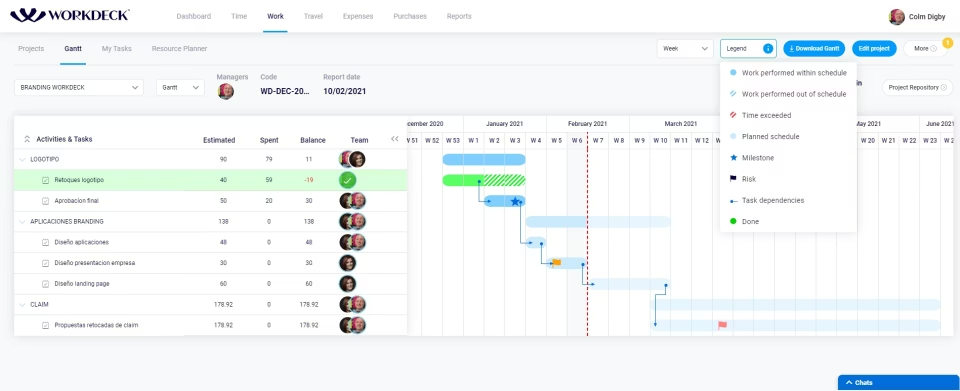
Work deck provides an integrated project management workspace where teams can plan, monitor, and execute projects from a single platform. Managers gain full visibility into project progress, milestones, and performance in real time. With tools like Gantt charts and task boards, teams stay aligned with objectives while leaders can quickly identify risks, adjust timelines, and keep projects moving forward efficiently.
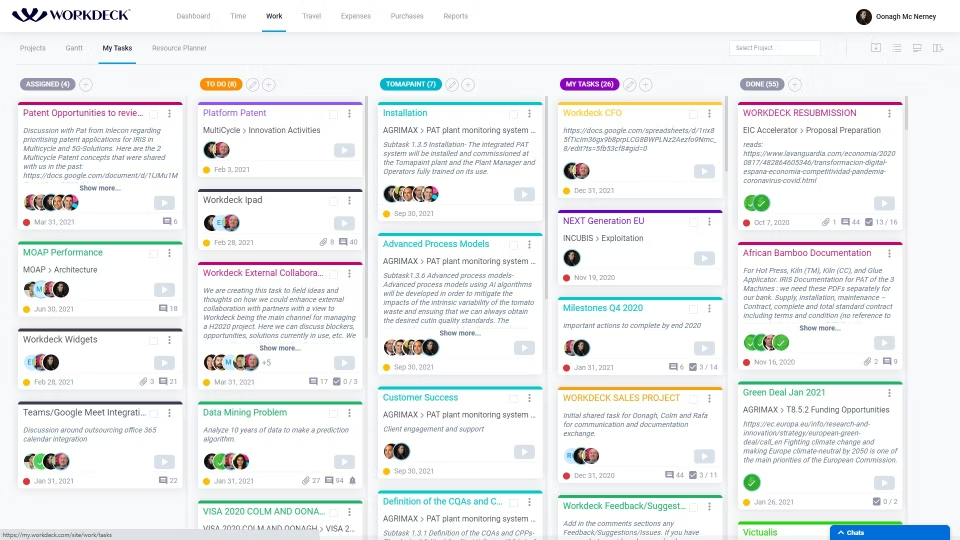
The platform organizes daily work through structured task boards that allow teams to assign responsibilities, set priorities, and track progress easily. All related documents, updates, and discussions remain connected to each task, keeping information centralized and accessible.
This system includes resource management tools that help managers allocate people, time, and skills across projects. Leaders can see who is available, who is overloaded, and how resources are distributed across tasks. This visibility allows organizations to balance workloads effectively, avoid employee burnout, and ensure projects receive the right level of support at the right time.
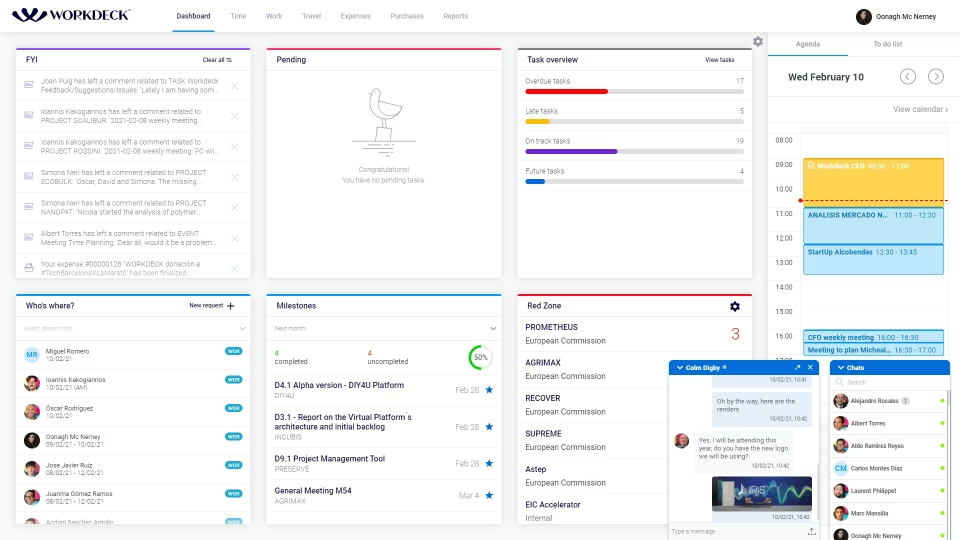
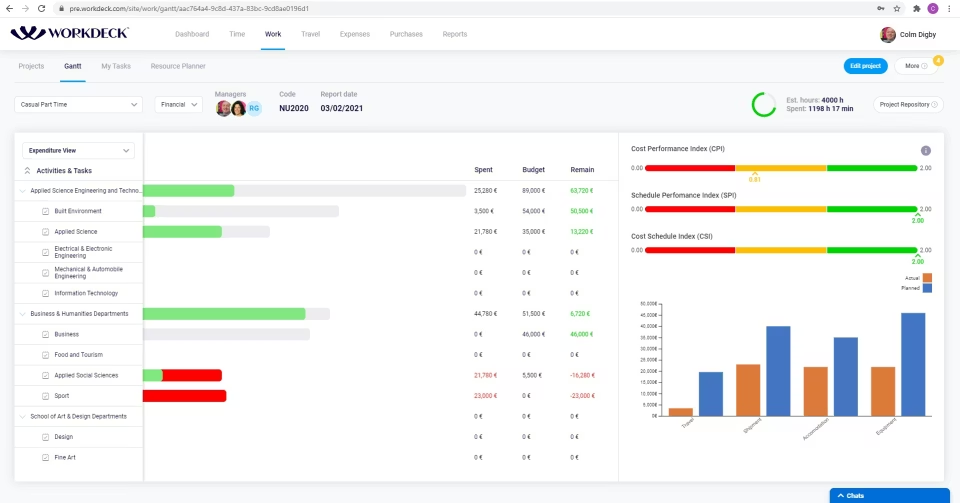
The platform connects project activity with financial performance, offering real-time insights into revenue, costs, margins, and billable utilization. Automated reports and dashboards allow executives to track key business metrics without manual data analysis.
Workdeck PMO integrates communication tools directly within the workspace so teams can collaborate without switching between multiple apps. Features such as instant messaging, chat channels, video calls, and file sharing allow employees to discuss project details in real time. This integrated communication environment keeps teams connected and reduces reliance on email for everyday collaboration.
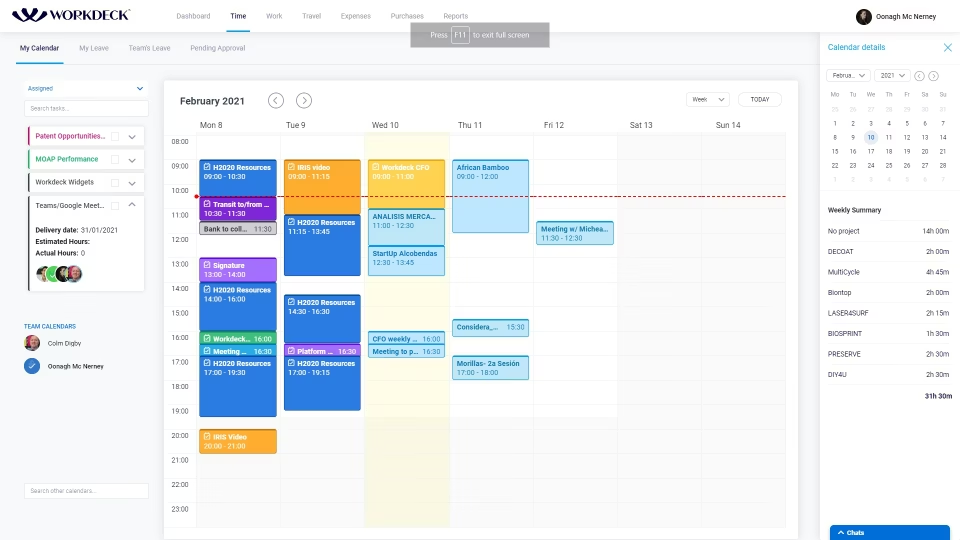
The system includes a shared calendar and time management features that help teams coordinate schedules, track working hours, and manage employee availability. Managers can monitor planned, consumed, and remaining hours for projects while also tracking vacations, absences, and remote work schedules.
Workdeck PM connects projects, workflows, and team activities into a unified data ecosystem that generates valuable business insights. The platform analyzes operational data to produce performance metrics, productivity indicators, and forecasting insights. With these analytics, companies can identify inefficiencies, improve planning, and make informed decisions that strengthen overall business performance.
See The Software In Action Watch Free Demo!
Top Recommended Software
Workdeck Pros and Cons
Workdeck Reviews
Frequently Asked Questions
A: Certainly not, the Workdeck PM software does not have a free plan available.
A: Yes, Workdeck software is cloud-based.
A: Catalan, English, and Spanish are the languages that the Workdeck PMO supports.
A: Workdeck project management allows users to get support through a support hub, chat assistance, and a contact form. You can also get details about the Workdeck pricing.
A: There is a Workdeck mobile app that provides remote convenience for task, project, and team management. Users can access the functionalities of this software platform through a single Workdeck login.
A: Yes, the Workdeck API is available.
A: Certainly, iOS and Android handheld devices are supported by this digital workplace software, with a requirement for a Workdeck log in to access the dashboard, according to Workdeck reviews.
A: Yes, there is a Workdeck free trial option for 15 days, and you can also request a free demo.
A: Indeed, the apps this tool integrates with are Asana, Slack, Google Workspace, Microsoft Project, Salesforce, QuickBooks, and Office 365.