

Overview
Lumeon software is a care orchestration platform that helps healthcare providers manage patient journeys with more control and visibility. It focuses on reducing care gaps, improving coordination, and automating repetitive tasks. You get real-time insights, automated workflows, and patient engagement tools in one place. While new users need time to learn the system, the results justify the effort.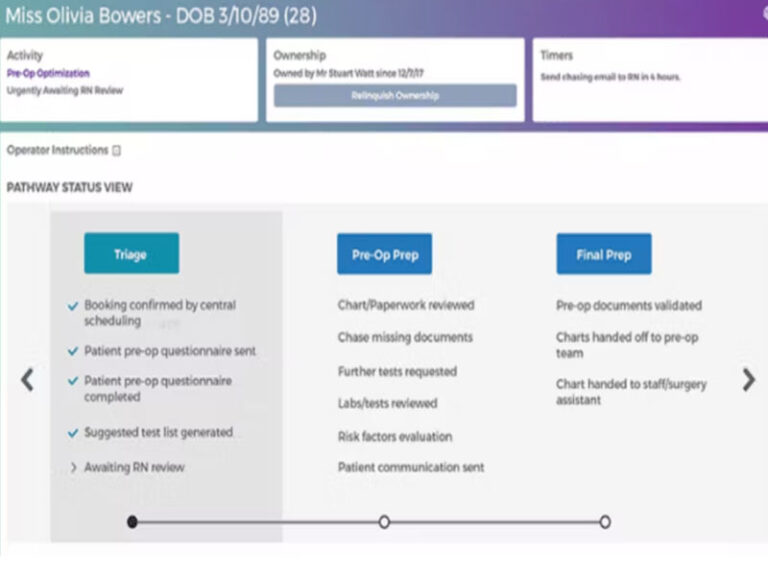

Lumeon Software Specifications
Appointment scheduling and management
e-Prescriptions support
Lab system integration
Patient portal access
What Is Lumeon?
Lumeon software is a clinical automation and care orchestration platform designed for hospitals, clinics, and health systems.
It works alongside electronic health record (EHR) software to improve how care teams manage patients from referral to recovery. Instead of replacing your existing EHR systems, it connects with them and improves workflow efficiency.
The platform uses real-time data and clinical logic to create personalized care pathways. This approach helps providers deliver consistent and timely care.
In simple terms, if you already use medical EHR software, Lumeon adds automation and coordination on top of it.
Lumeon Pricing
Lumeon pricing is not fixed. It depends on your organization’s size, workflow complexity, and integration needs.
You need to request a custom quote or book a Lumeon demo to get exact pricing.
Most healthcare platforms follow this model because implementation varies across organizations.
Who uses Lumeon Software?
Lumeon software fits a wide range of healthcare environments:
- Hospitals and health systems
- Outpatient and ambulatory centers
- Rehabilitation facilities
- Specialty clinics
- Hospital-at-home services
Lumeon Software Integrations
Integration is one of the strongest areas highlighted in Lumeon reviews.
It connects with major systems like the following:
It also supports integration using:
- FHIR
- HL7
- Web services
This means you can extend your existing EHR (electronic health) infrastructure without replacing it.
How Does Lumeon Work?
- Use Lumeon Log in and open the dashboard
- Pull patient data from connected ehr systems
- Set up automated workflows and care pathways
- Assign tasks with timelines to care teams
- Use triggers to automate follow-ups and alerts
- Track patient progress in real time
- Adjust care plans when needed
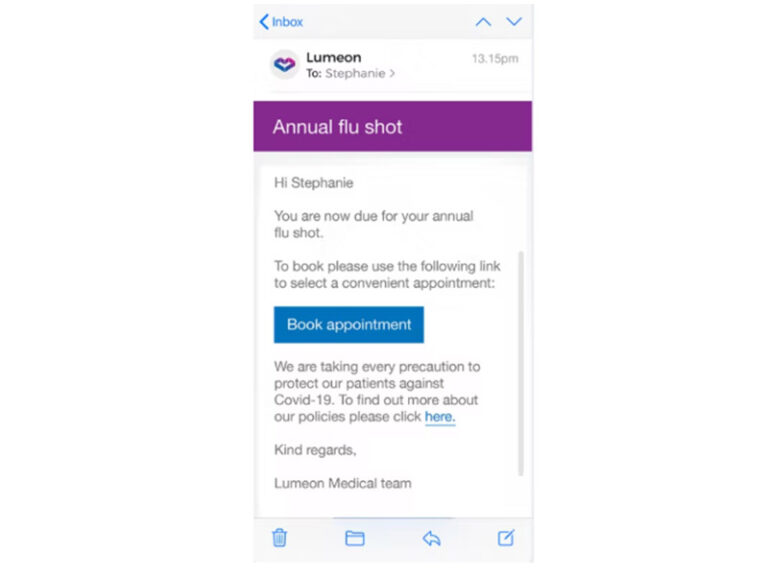
- Send reminders and updates to patients
- Use analytics to improve outcomes
This workflow reduces manual work and improves coordination across teams using software for EHR environments.
Choose Lumeon software for automated care pathways and better patient coordination
Choose Lumeon software if you want to:
- Automate complex patient care pathways
- Improve coordination across departments
- Enhance patient engagement
- Reduce manual workload for staff
- Get better insights from your ehr records
It works best for organizations already using the best EHR software and looking to improve efficiency without switching systems.
Lumeon Software Features
The system builds structured care journeys based on patient data. This improves consistency and reduces errors.
You can send reminders through SMS, email, or voice. Patients can also reschedule appointments easily.
Care teams stay aligned with shared dashboards and updates. This improves response time and care quality.
Analytics help you identify bottlenecks and improve workflows across your ehr electronic systems.
The platform adapts care plans based on patient needs, making treatment more targeted and effective.
See The Software In Action Watch Free Demo!
Top Recommended Software






Pros and Cons of Lumeon
Lumeon Reviews
My software review
Pros
The platform has been a dependable part of our daily operations. It handles core tasks smoothly and keeps everything organized without adding complexity.
Cons
Limited advanced customization options.
An excellent System
Pros
The software offers a good mix of features that support our workflow and improve efficiency. It covers most of our needs, though there are occasional areas where improvements could enhance usability. Still, it delivers solid value for the price.
Cons
Occasional lag in updates or syncing.
Frequently Asked Questions
It helps healthcare providers automate care pathways and improve patient coordination across systems.
No. It works alongside electronic health record (EHR) software to enhance workflows and patient management.
Pricing is custom. You need to request a quote or book a Lumeon demo.
Hospitals, clinics, and health systems that already use EHR/EMR software and want better workflow automation.
Users highlight strong integration, automation, and reporting features, but mention a learning curve.
Yes. It integrates with major platforms like Cerner and Epic and supports FHIR and HL7 standards.
