

Overview
Less Annoying CRM is built for small businesses that want organized contact management without complexity. Easily add contacts, nurture leads, and monitor follow-ups with an easy-to-use system that requires no training or setup. Ideal for service-based teams who need consistent follow-ups rather than complex or advanced automation. Users prefer Less Annoying CRM for its flat pricing, quick setup, and direct support. While reporting options remain basic, daily task reminders, email logging, and shared calendars help reduce manual work and missed opportunities.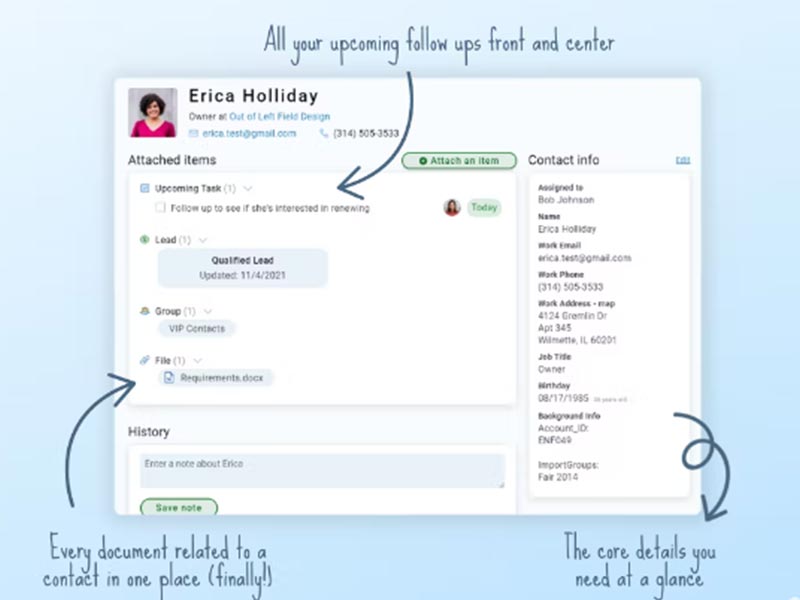
Less Annoying CRM Software Specifications
Contact and Lead Management
Task and Calendar Management
Customization and Usability
Pipeline Management
What is Less Annoying CRM?
Less Annoying CRM is a contact-focused CRM software designed to help small businesses manage relationships, tasks, and follow-ups in one place.
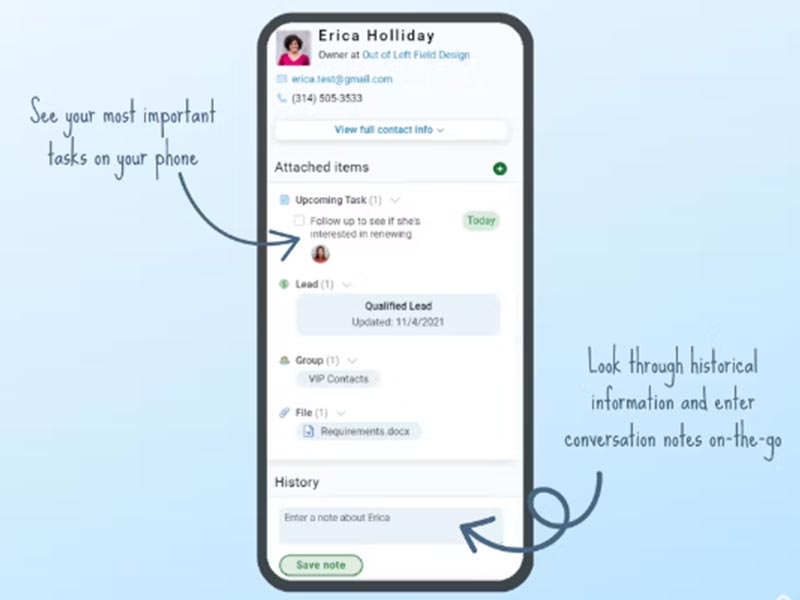
The software is designed for consultants, agents, and small business owners who are scaling up and find CRMs overwhelming. Instead of complex automation, a less annoying CRM focuses on clarity. You see your contacts, notes, emails, and tasks on a single screen.Calendars sync with Google and Outlook, keeping schedules and follow-ups aligned without extra tools.
Less Annoying CRM Pricing
Less Annoying CRM has a simple pricing structure.
You pay $15 a user a month, plus tax.
All features on one plan. There is no impetus for you to level up in order to unlock tools, add-ons, or support.
Pricing transparency is one of the main reasons small teams choose less annoying CRM over complex CRM software platforms.
Pricing is subject to change.
Who uses Less Annoying CRM?
CRM Less Annoying CRM is often used by:
- Independent consultants
- Real estate agents
- Travel agents
- Small sales teams
- Service-based businesses
- Manufacturers with small client lists
Less Annoying CRM Integrations
The system integrates with popular tools to minimize manual entry.
Supported integrations include:
- Google Calendar
- Outlook Calendar
- Zapier
- Mailchimp software
- Simplii
APIs are very well documented; tech teams can even integrate a less annoying CRM with other tools or the company’s internal systems.
How does Less Annoying CRM work?
You begin by either manually adding contacts or importing them from another system. Each contact becomes a centralized record for all the notes, emails, and tasks you create.
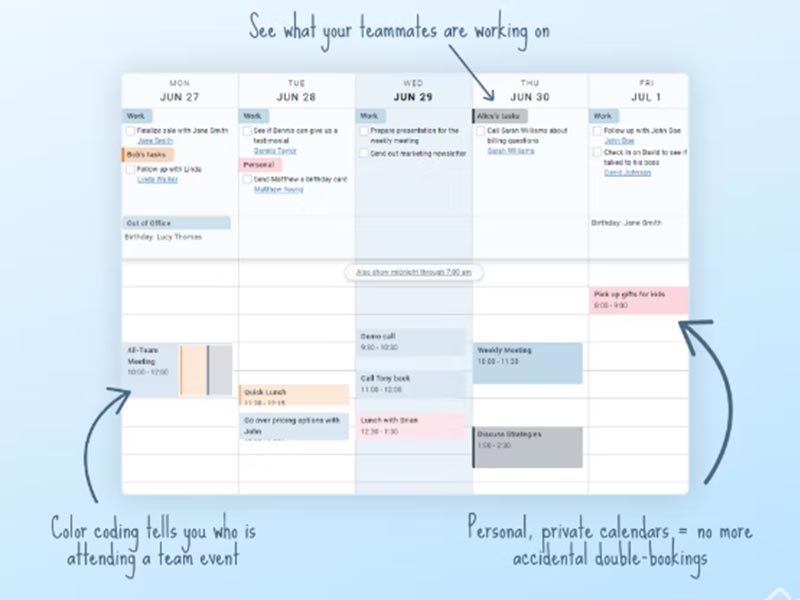
Contacts can also be linked directly with tasks. This makes it easy to follow up. Your calendar syncs seamlessly, so all your meetings and deadlines are always in the same place.
Email integration automatically logs messages within each contact profile. You do not have to copy and paste your history.
Choose Less Annoying CRM for Small Businesses That Need Simple CRM Software
It is a great option if you are looking for:
- Spreadsheets replacement that still feels lightweight
- Daily task reminders and follow-ups
- Flat pricing with no other fees
- Phone and email contact for real folks
Less Annoying CRM Features
Keep contact info, notes, and conversation history together. Find/Filter/Segment Connect without complexity.
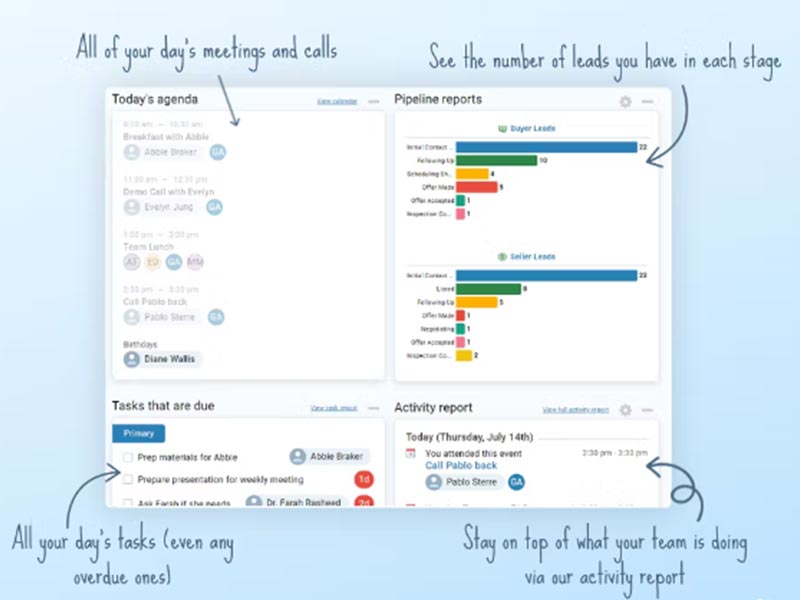
Sync Google and Outlook calendars. Delegate and monitor responsibilities to be fulfilled by your team members without any complexity.
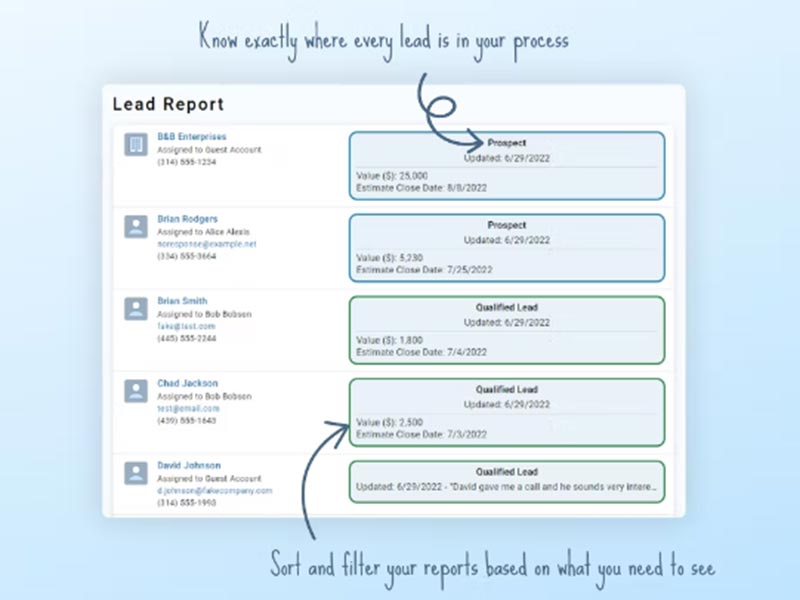
Apply a flexible pipeline to track the position of each lead in your process. This helps prevent missed opportunities.
Integrate your email and automatically save chat transcripts within each contact profile.
Generate intake forms that integrate with your CRM to eliminate manual entry.
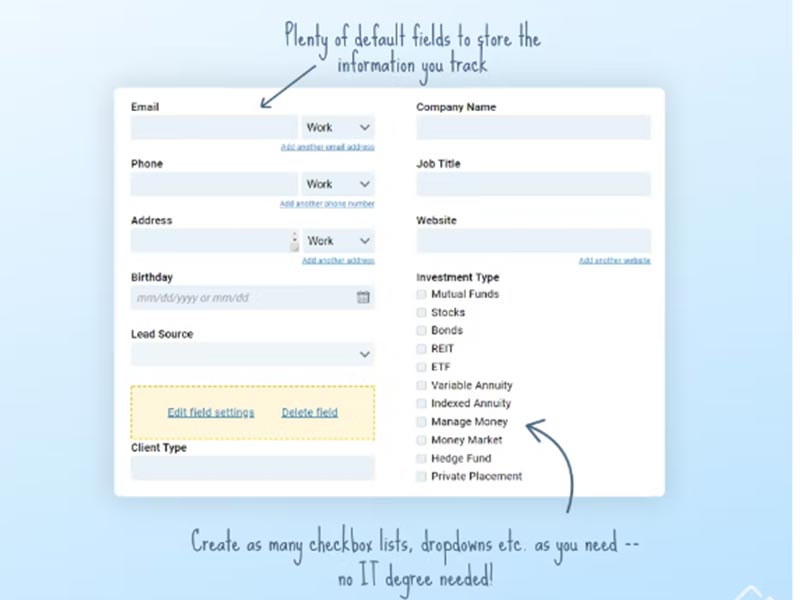
Create unlimited contacts and as many custom fields as you need to suit your business goals.
See The Software In Action Watch Free Demo!
Top Recommended Software






Less Annoying CRM Software Reviews
FAQs
The software is $15 a month per user, plus tax. All features are included.
It integrates with Google Calendar, Outlook, Mailchimp software, and Zapier, as well as other tools.
It also offers API integration for custom integrations.
It supports the English language.
