

Overview
Studycast is a cloud-based PACS and imaging workflow platform purpose-built to connect every stage of the clinical imaging process. It works across specialties, including cardiology, vascular, women's health, point-of-care, and veterinary, and fits private practices, office-based labs, ambulatory surgery centers, and large multi-location organizations equally well. Its integration engine talks to any EHR and any imaging device, regardless of manufacturer, with patient worklists flowing in and completed reports flowing back out automatically. One honest limitation worth noting is that auto-populated measurements are only available for compatible study types, meaning practices using less common modalities may still need to enter certain data manually. That said, for imaging teams looking to reduce transcription errors, approval delays, and disconnected tools, this is a genuinely capable platform that delivers on its promise of a faster, connected workflow.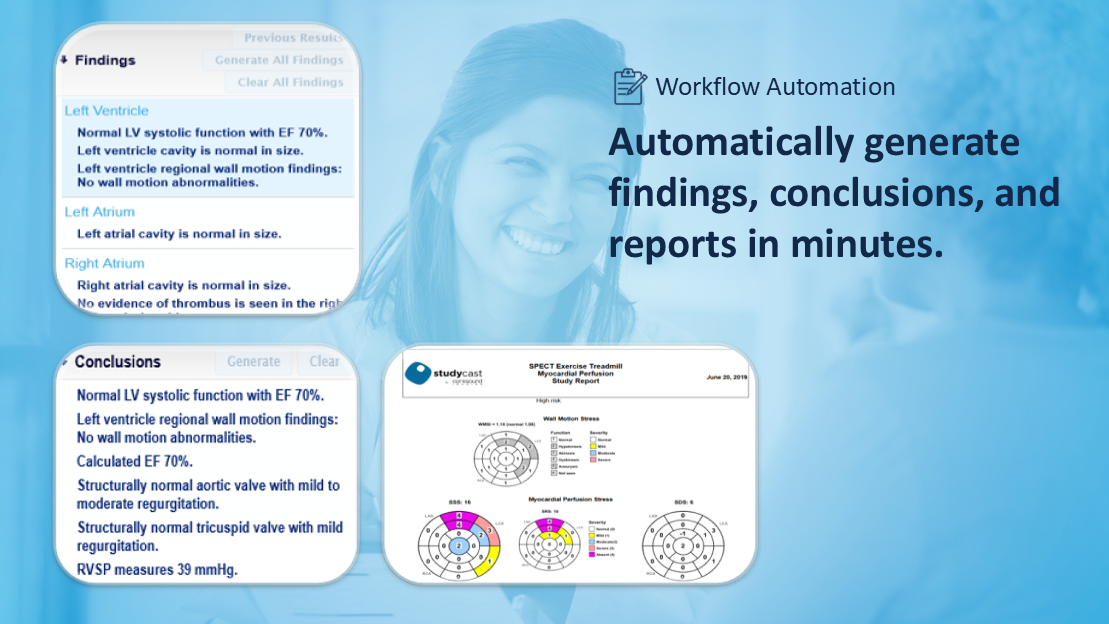
Studycast Software Specifications
What Is Studycast?
Study cast is a cloud-based imaging platform that connects and centralizes every step of the diagnostic workflow. This system allows teams to capture, store, review, and share medical images while syncing data with any EHR. It supports different specialties and care settings by adapting to unique workflows. Studycast ensures smooth data exchange without manual effort, helping providers manage imaging processes efficiently while keeping information accessible, organized, and ready for timely reporting.
Studycast Integrations
This platform does not publicly name specific EHR vendors or third-party app brands on its official website.
What Is Studycast Software Best For?
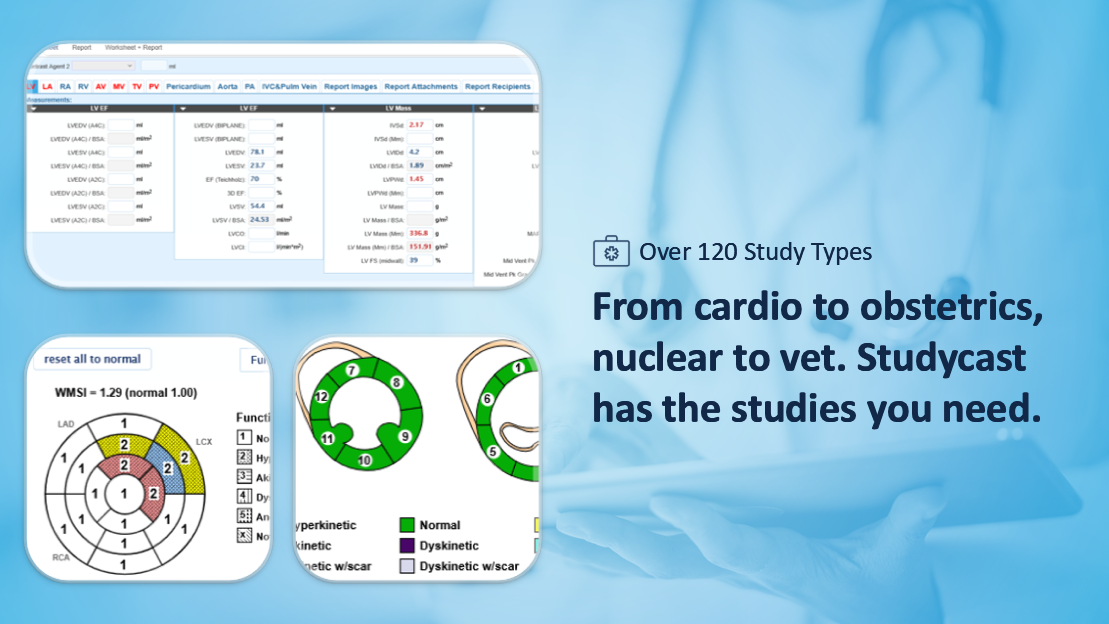
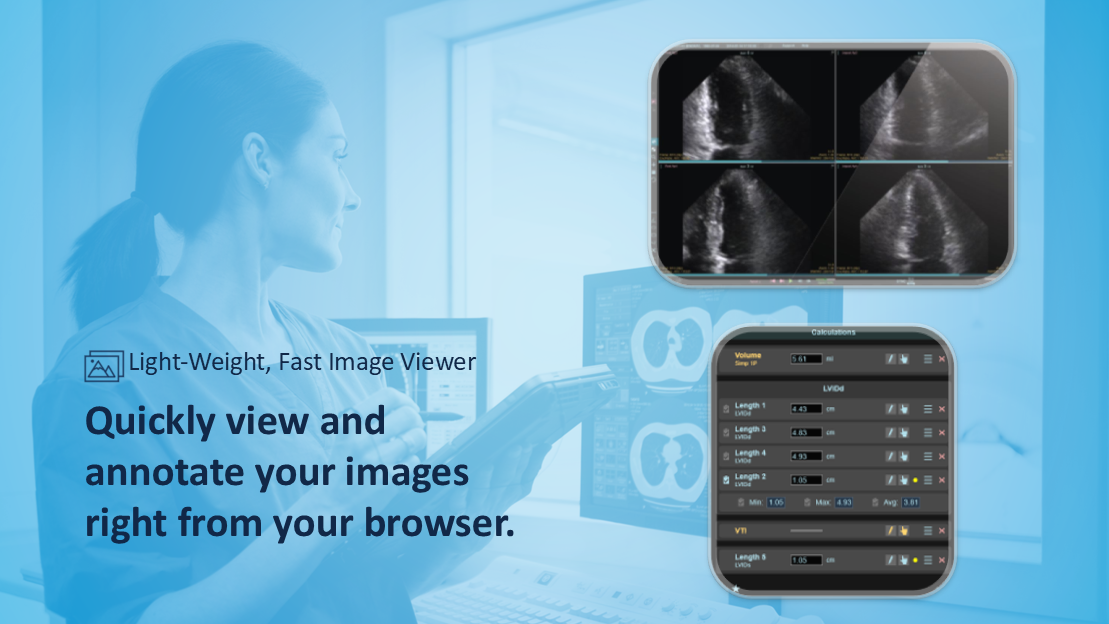
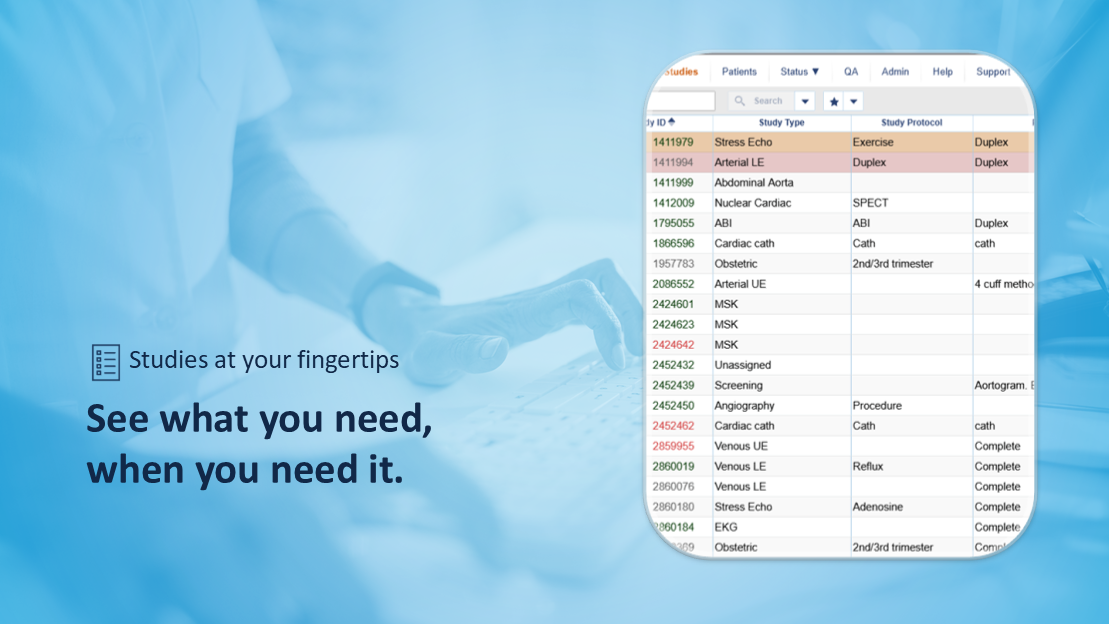
The Studycast system improves imaging review and reporting by allowing users to access studies instantly from any device. This system offers tools that compare results, generate reports quickly, and notify teams when cases are ready. It supports secure sharing with patients and providers while keeping data aligned with clinical guidelines. It helps teams stay efficient by reducing delays, improving communication, and ensuring every study moves smoothly from review to final report. Furthermore, over 130 specialty-specific worksheets, color-coded urgent case alerts, timed notifications, HIPAA-compliant study sharing via SMS or email, and a cloud-native viewer that works on any browser round out the platform.
Who Can Use Studycast Software?
This system can be leveraged by diverse settings, specialties, and medical personnel, depending on their roles in the practice, which include:
Roles
- Physicians
- Sonographers
- Technologists
- Clinic Administrators
- IT Professionals
- Billing Specialists
- Office Managers
Specialties
- Cardiology
- Vascular
- Women’s Health
- Obstetrics & Gynecology
- Radiology
- Point-of-Care
- Nuclear Medicine
- Veterinary
- Research Labs
Settings
- Private Practices
- Ambulatory Surgery Centers (ASCs)
- Multi-location Enterprises
- Management Services Organizations (MSOs)
- Hospital Networks
- Clinical Research Labs
- Medical Education Programs
How Much Does Studycast Cost?
Studycast pricing structure is flexible, which removes the burden of high upfront costs typical of older medical imaging systems. It removes the stress of expensive hardware installations by offering a subscription and study-based approach that ensures you only pay for the clinical value you receive. Request a Studycast cost quote that depends on your specific imaging volume and the number of devices you connect today.
How To Use Studycast Software?
Add your credentials to the secure web portal for a Studycast login from any browser to see your newly uploaded cases in the worklist. You can follow the provided instructions to use this system effectively:
- Power on your imaging equipment and perform the patient exam as you normally would.
- Select the completed study on your machine and send it directly to the cloud via the integrated gateway.
- Open a study to view high-resolution images and cine loops side-by-side for a detailed clinical review.
- Use the interactive worksheets to select findings from simple dropdown menus and annotated diagrams.
- Verify that the automated measurements from the ultrasound have correctly populated the digital report.
- Apply the Advisor feature to receive suggested findings based on current clinical guidelines.
- Click the digital signature button to instantly finalize and lock the completed diagnostic report.
- Share the results securely with referring physicians or patients through the encrypted transmission link.
- Archive the study in the permanent cloud storage for easy retrieval and future comparison.
Book a free Studycast demo to know more about the usage and functionalities through a visual tutorial-like representation.
Why Choose Studycast?
Studycast provides a complete cloud-based imaging workspace that simplifies the journey from capturing an ultrasound to finalizing a clinical report. Medical practices can eliminate the need for bulky on-site servers and access diagnostic-quality images from any internet-connected device. It functions as a smart bridge between your imaging equipment and your patient records, ensuring that clinical data flows smoothly and reports are finished with incredible speed. This streamlined approach helps your practice stay mobile, efficient, and focused on delivering high-quality cardiac and vascular care.
The platform is built on a foundation of trust, maintaining full HIPAA compliance and SOC 2 certification to safeguard every patient image. Your facility can scale effortlessly from a single room to a massive hospital network without needing new servers. It utilizes elite encryption standards to protect data during transmission and storage, ensuring that your practice meets the most rigorous medical security requirements while remaining fully accessible to authorized staff.
For more information, connect with our software support team. You can also watch a demo and read Studycast reviews.
Studycast Features
Every image captured through this goes straight into secure cloud storage, available for as long as your compliance requirements demand, whether that is the standard seven-year minimum for adult patients or longer for pediatric records. Any team member can pull up a study from any location on any device without digging through physical archives or requesting transfers with a single Studycast login.
Through its bidirectional EHR interface, Studycast core login enables automatic pulls of patient worklists from your existing records system directly onto the modalities. By the time a patient arrives for their scan, their name, demographics, and order details are already loaded on the machine. There is no manual re-entry, no risk of mismatched records, and no extra admin work holding your team back before the appointment even starts.
The moment a scan wraps up, images upload automatically and load within seconds. Technologists open the worksheet, add clinical notes, and, for compatible study types, find measurements already populated straight from the modality with their Studycast provider login. Auto-calculated fields cover values like Z-scores and BSA indexing, while abnormal values get flagged on entry, leaving the study fully documented and ready for physician review without any extra steps.
Core Studycast gives physicians the ability to review studies, findings, and worksheets together in one place from any browser or device, regardless of location. Pre-populated fields and auto-calculated values mean most of the work is already handled before the physician even opens the study. For a straightforward normal result, confirmation and approval can take as few as two clicks, keeping the queue moving without anyone being tied to a specific room or computer.
Once a report is approved inside the Studycast interface, it routes directly back to the EHR without anyone printing, uploading, or manually chasing it down. Referring providers receive results faster, and the care team moves on to the next patient without delay. Studies can also be shared with patients or colleagues for a second opinion through email or SMS, with no CDs, file transfers, or third-party tools needed.
See The Software In Action Watch Free Demo!
Top Recommended Software


Studycast Pros and Cons
Studycast Reviews
Frequently Asked Questions
Certainly not, Study Cast does not have a free plan available.
Yes, the Studycast system is cloud-based.
English is the language that the Studycast platform supports.
Studycast allows buyers to get answers through phone support, chat assistance, and email. You can also get details about Studycast pricing.
Core Studycast is accessible through any browser on any device, allowing physicians and clinical teams to review and approve studies remotely. Users can access the full functionality of the platform through a single Studycast login.
Yes, Studycast supports integration capabilities through its universal integration engine, which connects with any EHR and any imaging device.
According to Studycast reviews, this cloud imaging workflow platform supports access on any device through a web browser, with a Studycast login required to access studies and the dashboard.
This platform does not publicly list a free trial option, but you can request a free demo directly through the official Studycast website to see the platform in action before committing.
