

Overview
Lightning Bolt is a provider scheduling system that simplifies your practice operations and administrative workflows. Its automated capabilities and mobile functionality receive high appreciation from the users, but some schedulers do find some intricacies that could be resolved. This system is worth an investment if you require connected processes, shift distribution, errorless scheduling, and user satisfaction with a single Lightning Bolt log in.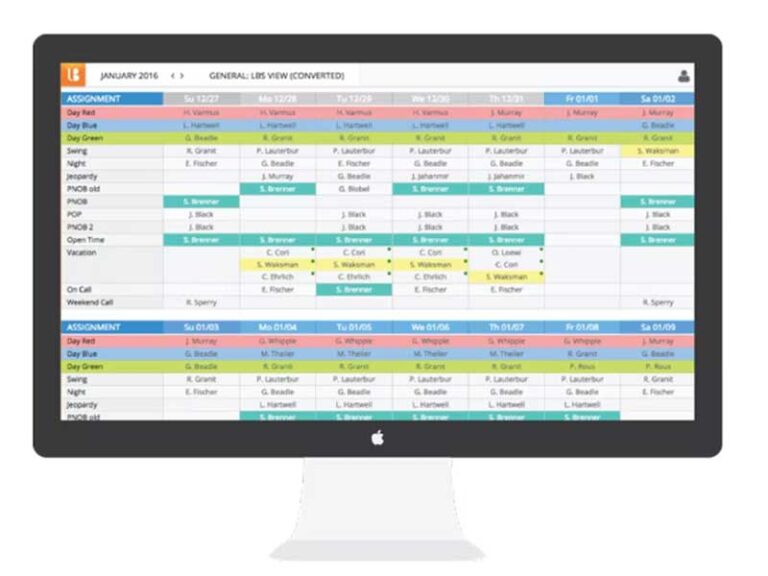
Lightning Bolt Software Specifications
What Is Lightning Bolt?
Lightning Bolt solutions are a robust, intuitive, cloud-based staff scheduling program that provides:
- Lessened administrative complexities
- Call distribution
- Order monitoring
- Workload management
- No gaps in the schedules
- Centralized interface
- Part-time arrangement accommodations
- Combinatorial optimization
- Easier shift swaps and leave request management
Lightning Bolt Integrations
Third-party apps and tools integrations are supported by this EMR software solution, which includes:
- Vocera
- Epic
- Allscripts EMR
- MD-Staff
- Procare Solutions
- PerfectServe
Visit Lightning bolt com to know more about its integration capabilities.
What Is Lightning Bolt Scheduling Best For?
Lightning scheduling is best for the following capabilities that you can get your hands on after a Lightning Bolt com login:
- Advanced reporting and shift analytics
- Generate streamlined schedules automatically
- Powerful Patient coverage is available
- Remote access to schedule updates
- Credentialing and subspecialty assistance
How Much Does Lightning Bolt Cost?
Lightning Bolt pricing depends on the staff volume, workflow complexity, scale of operations, and the number of scheduled individuals. Connect with us for a personalized quote.
Who Can Use Lightning Bold Scheduler?
S2 Lightning Bolt can be leveraged by:
- Dermatology facilities
- Cardiology sectors
- Radiology departments
- Anesthesiologists
- Hospital medicine
- OB/GYN
- Emergency medicine
- Dentists
How To Use Lighting Bolt Scheduling Work?
Add your credentials for a Lightning Bolt login, then navigate to the dashboard for exploration. Follow these steps for better utilization:
- Use the viewer to visualize and generate schedules
- Create preferences and rules
- Manage locations, venues, duties, and shifts
- Fill all the scheduling gaps
- Convey check-outs, check-ins, swaps, and shift coverages
- Upload and display staff schedules with ease
- Use the Lightning Bolt App for remote modification, task tracking, and swapping
Book a Lightning Bolt demo for more details.
Why Choose Lightning Bolt Sign in?
You can make up your mind about the Lightening Bolt Solutions after learning about these offerings:
- Less scheduling burnout
- Decreased manual schedule manipulation
- More staff and allocated task visibility
- Better coordination among patients and providers
- Provider roster automation
- Multi-location and departmental coverage
Feel free to connect with our software experts for pre-purchase advice. You can also watch a free demo and read Lightning Bolt reviews.
Lightning Bolt Features
After a Lightning Bolt Physician login, users can have remote dashboard access, calendar access for approvals, and allocate resources and schedule the right volume of physicians according to patients. Lightning Bolt Ascension fosters accurate schedules, almost no time wastage, and communication tools integrations.
A Lightning Bolt Scheduling login ensures the well-being of clinicians by accommodating their preferences, increasing flexibility, personalizing schedules, avoiding burdens, controlling patient influx, managing shifts, monitoring fatigue, eradicating difficulties, and promoting autonomy.
Automate OR scheduling with errors like physician unavailability, delays, no accessibility to case rosters, double bookings, and no transparency to the assignments, with a single lightning bolt Solutions login.
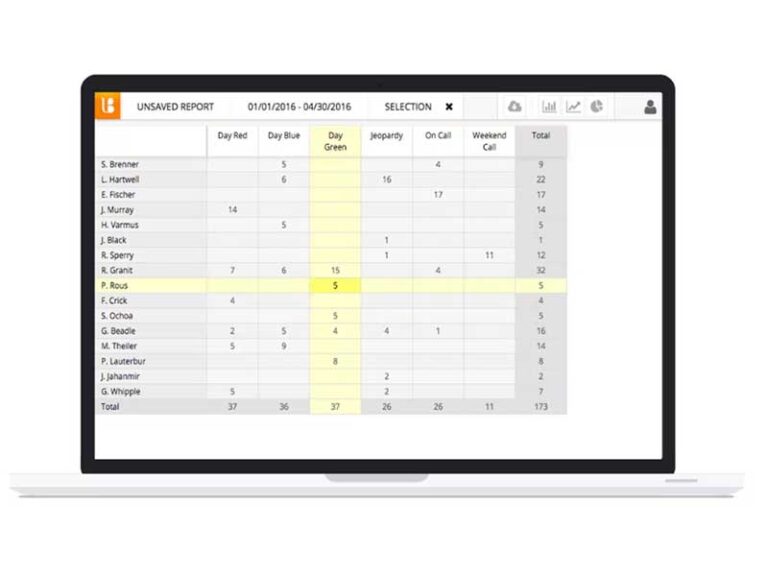
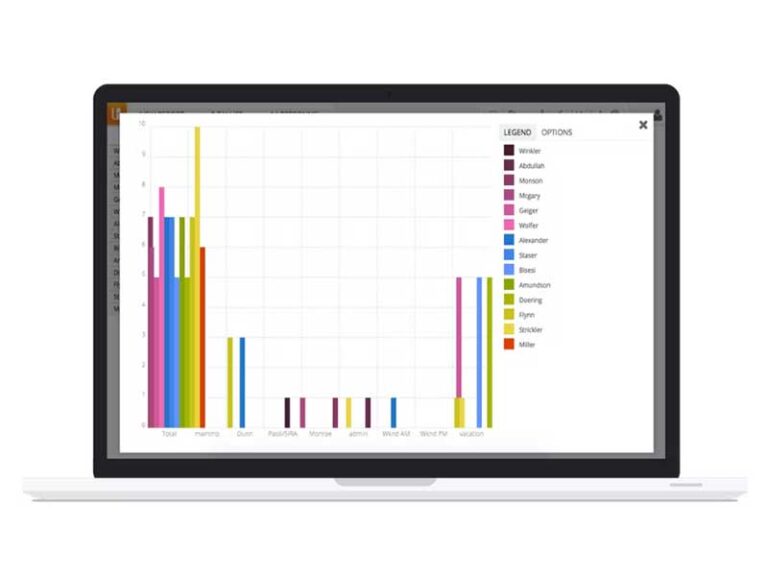
Analytical Reports provide information on operational and administrative workflows. Through reviewing these reports, patient leakage can be avoided, practice growth gets a boost, optimal care services are ensured, targeted work hours are monitored to reduce burnout, and workplace fairness is implemented.
Users can have more details regarding callers, patient contact information, scheduled calls, and shift changes with a single lightning-bolt.com login on web as well as mobile devices. They can conveniently share data, respond to clients, book consultations, approve time-offs, and see to clinicians’ convenience without any burnout.
See The Software In Action Watch Free Demo!
Top Recommended Software






Lightning Bolt Reviews
My software review
Pros
The platform has been a dependable part of our daily operations. It handles core tasks smoothly and keeps everything organized without adding complexity.
Cons
Limited advanced customization options.
An excellent System
Pros
The software offers a good mix of features that support our workflow and improve efficiency. It covers most of our needs, though there are occasional areas where improvements could enhance usability. Still, it delivers solid value for the price.
Cons
Occasional lag in updates or syncing.
Frequently Asked Questions
Certainly not, the Lightning Bolt software does not have a free plan available.
Yes, Lightning Bolt Scheduling is cloud-based.
English is the language that Lightning Bolt Scheduler supports.
Lightning Bolt allows buyers to get answers through phone support, FAQs, and email. You can also get details about the Lightning Bolt pricing.
There is a Lightning Bolt mobile app that provides remote access for scheduling management. Users can access the functionalities of this software platform through a single Lightning Bolt login.
Yes, the LighteningBolt API is available.
According to Lightning Bolt reviews, this physician scheduling software supports iOS and Android handheld devices, with a requirement for a Lightning Bolt login to access the dashboard.
There is no LightningBolt free trial option, but you can request a free demo.
Indeed, the apps this tool integrates with are Outlook, Epic, Kronos, TigerConnect, Workday, and many more.
