Overview

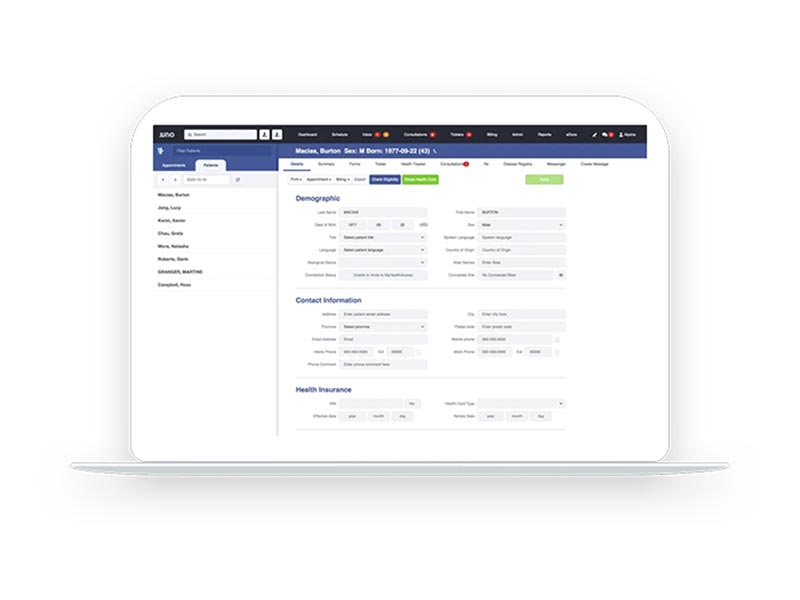
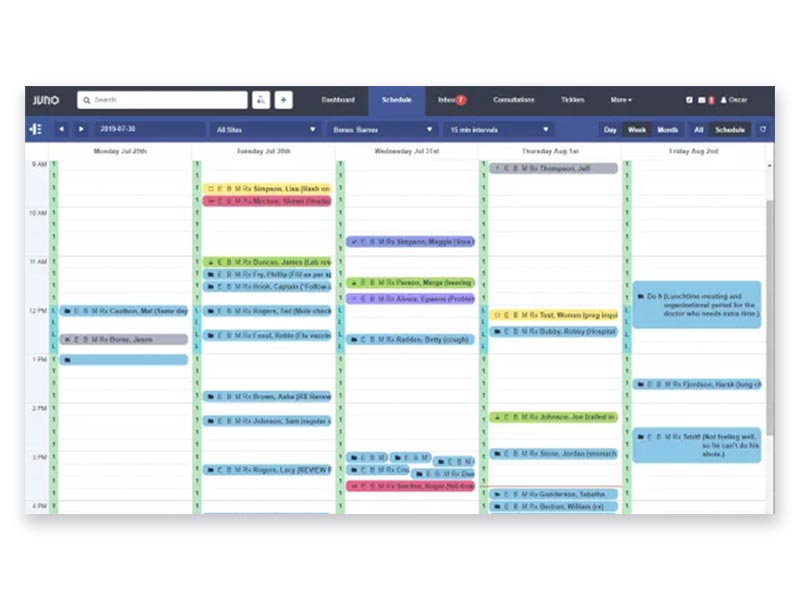
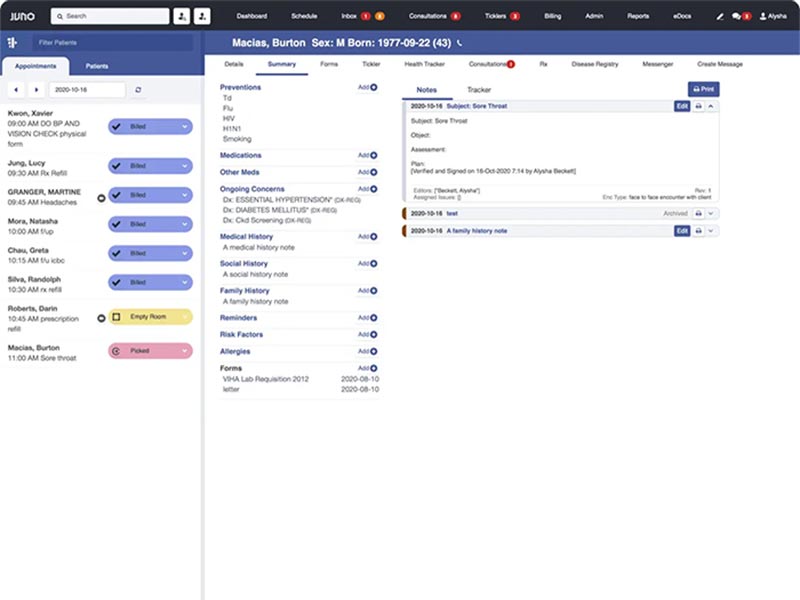
Juno EMR is a streamlined and smart cloud-based solution that centralizes your clinic’s operations, from patient charting to complex medical billing. Hosting everything in the cloud allows your team to access secure health records, clinical documentation, digitized medication management, laboratory integration, and manage appointments from any location, ensuring your practice stays streamlined.

Juno Software Specifications

Patient Portal
Mobile App
Claims Management
Patient Demographics

What is Juno EMR?

JunoEMR is a comprehensive patient management platform designed to streamline medical practices. It integrates Electronic Medical Records (EMR), practice management, and medical billing into a unified and simplified system. The platform ensures seamless operations with free onboarding and support, no hidden costs, and instant access from any device, allowing medical professionals to manage both patient care and practice administration effortlessly.

Juno EMR Integrations

Third-party apps and tools integrations are supported by this EMR software solution, which includes:

  • OceanMD
  • MyHealthAccess
  • SRFax
  • ClinicAid
  • Alberta Netcare
  • ClinicalConnect

What Is Juno EHR Best For?

With Oscar Juno EMR, medical practices benefit from a user-friendly platform that provides both clinic and business management tools. Accessible from anywhere, it simplifies billing processes, clinical documentation, appointment scheduling, image management, medication management, data access, lab reporting, and patient intake, helping practices save time and money. The software’s intelligent design automates common office tasks, ensuring smooth workflows. It ensures continuity of care, allowing providers to focus on patient needs while leaving the technical complexities to Juno’s intuitive system.

How Much Does Juno EMR Cost?

Juno EMR pricing begins at $249/month/full-time practitioner. Each user is charged completely according to the services they use every month.

Note: The pricing can change over time. 

How To Use EMR Juno?

Add your unique credentials for a Juno EMR Login and follow the mentioned steps next:

  • Click on a time slot in the calendar to book an appointment.
  • Launch a virtual visit directly from the schedule via Telehealth.
  • Start an encounter note during a visit to document clinical findings.
  • Use the prescription tool to send medications directly to pharmacies.
  • Check your inbox to review and sign off on eDelivered lab results.
  • Generate private invoices or provincial billing claims from the patient record.
  • Activate the patient portal to allow for easy online self-booking.

If you are curious about more of its integration capabilities, usage, features, and other aspects, then schedule a free Juno EMR demo right now!

Who Can Use Juno Software?

This intuitive EMR system can be leveraged by the following medical personnel:

  • Physicians
  • Clinic managers
  • Receptionists
  • Admins
  • Midwives

Is JunoEMR The Right Platform?

Juno system is a versatile, cloud-hosted platform that centralizes your clinic’s operations, from patient charting to complex medical billing. By hosting everything in the cloud, it allows your team to access secure health records and manage appointments from any location. This tool is built to scale from solo clinics to massive hospital networks, maintaining high-level security with SOC-2, ISO 13485, and HIPAA compliance. With OntarioMD certification, it ensures your clinical data meets the strictest quality standards.

If you are still facing problems with trusting this system, then connect with our client support team and ask all your software questions; they will guide you thoroughly. You can also watch a free demo and read Juno EMR reviews for a better understanding.


Juno EMR Features

This software offers an easy-to-use virtual visit solution. It’s designed to be convenient for both patients and healthcare providers, with seamless integration into the EMR system. Whether for a follow-up or initial consultation, the virtual platform is straightforward and adds to the satisfaction rates.

With Juno EMR client login, you can leverage the cloud-based Clinical Billing Intelligence, which streamlines billing processes. It ensures accuracy and efficiency, reducing errors in claim submissions and speeding up the reimbursement process. Its automation reduces the need for manual intervention, freeing up staff time.

It integrates lab and imaging results into the system, with eDelivery for instant access. Juno login EMR eliminates the need for manual processing, allowing providers to view and share results quickly. It enhances the coordination of care and reduces delays in treatment.

These features simplify the prescription process. With fewer clicks, you can quickly prescribe medications, ensuring accuracy and reducing the chance of errors. The system integrates with pharmacies, improving the speed of prescription fulfillment.

Patient charts that are organized are easy to navigate. Providers can access a detailed, up-to-date view of patient history, making it easier to diagnose and manage care. All relevant data, from test results to previous consultations, is available at a glance.

A Juno login allows patients to book their own appointments online, reducing the burden on the front desk staff. It enhances patient satisfaction by offering flexibility and convenience. The system automatically syncs with the practice’s schedule, avoiding double-bookings.

Juno EMR login helps practices reduce no-show rates by sending automatic appointment reminders via text or email. This feature allows patients to confirm their appointments in advance, ensuring better time management and patient participation.

See The Software In Action Watch Free Demo!

    What is 4 + 9 ? Refresh icon

    Juno EMR Reviews

    Overall Rating

    4

    2 Review(s)

    Rating Distribution

    5

    (0)

    4

    (2)

    3

    (0)

    2

    (0)

    1

    (0)

    Share your experience
    John S.

    Consulting

    Ease of use
    8
    Value for money
    8
    Customer Support
    7
    Functionality
    8

    My software review

    Pros

    The platform has been a dependable part of our daily operations. It handles core tasks smoothly and keeps everything organized without adding complexity.

    Cons

    Limited advanced customization options.

    Damian K.

    Technology

    Ease of use
    8
    Value for money
    9
    Customer Support
    7
    Functionality
    8

    An excellent System

    Pros

    The software offers a good mix of features that support our workflow and improve efficiency. It covers most of our needs, though there are occasional areas where improvements could enhance usability. Still, it delivers solid value for the price.

    Cons

    Occasional lag in updates or syncing.

    Frequently Asked Questions

    Certainly not, the Juno EMR software does not have a free plan available.

    Yes, Oscar Juno EMR is cloud-based. 

    English is the language that JunoEMR supports.

    Juno EMR support allows buyers to get answers through the forms, help portal, and training demos. You can also get details about the Juno pricing. 

    There is a Juno EMR mobile app called MyHealthAccess for the patients. Users can access the functionalities of this software platform through a single Juno EMR login. 

    Yes, the Juno EMR RESTful and SOAP API are available.

    According to Juno EMR reviews, this EMR software supports iOS and Android handheld devices, with a requirement for a Juno EMR login.

    Yes, there is a Juno free trial option for 30 days, and you can also request a free demo.