

Overview
Crystal practice management system is notable in the optometry industry, considering it streamlines coordination, billing, front-desk activities, appointment scheduling, and keeps the patients aware of their upcoming sessions. Certain users have reported that the system might lag occasionally, and the billing modules can involve some intricacies at first, but after comprehending the usage, this system is a game-changer for all practice managerial aspects.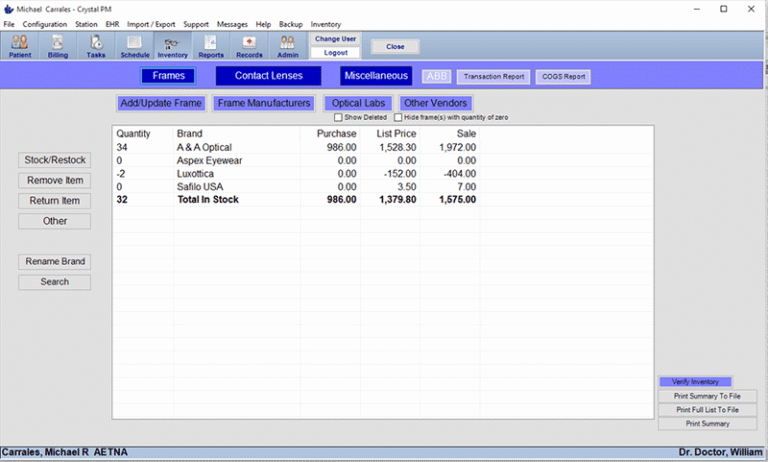
Crystal Software Specifications
What Is Crystal Practice Management?
Crystal PM is an intuitive cloud-based practice management and EHR system that is developed for optometry practices, with complete customizability. This system adds stealth, organization, efficiency, and optimization to your workflows.
This tool streamlines online scheduling, revenue cycle management, record-keeping, inventory management, patient participation, and payment processing.
CrystalPM Integrations
Third-party apps and tools integrations are supported by this EMR software solution, which includes:
- ABB Optical Group
- BillFlash
- SolutionReach
- WorldPay
- Kno2
- DemandForce
- AutoRemind
Visit the crystalpm.com website to know more about its integration capabilities.
What Is CrystalPM Best For?
Crystal software is best for:
- Personalization and simplified navigation
- Intuitive and easy to understand
- Vast integration network
- Time-effective tools
- Built-in managerial aspects
How To Use the Crystal Program?
After installation, add your credentials for a Crystal login, then follow these steps:
- Register, then start the system
- Personalize the database
- Visualize and handle data
- Configure different modules
Schedule a free CrystalPM demo for more details.
Who Can Use Crystal EHR?
This platform can be leveraged by:
- Specialty-specific offices
- Single location practices
- Optometry practices
- Multi-location practices
- Corporate affiliates
- Optical shops
- Universities and colleges
- Pharmacies
- Start-ups
How Much Does Crystal Software Cost?
The Crystal practice management pricing plans are:
- ESSENTIALS
- PLUS
- PRO
- (Optional Add-Ons)
Connect with the sales for detailed estimates according to your practice requirements.
Why Choose Crystal EMR?
You can choose this system based on these offerings:
- ONC certified
- Comprehensive optometry practice management
- Robust personalization and modules
- Compliant with federal regulations
- Convenient, scalable, and adaptable
Connect with our software experts to have all queries answered. You can also watch a free demo and read unbiased PM Crystal reviews.
Crystal Practice Management Features
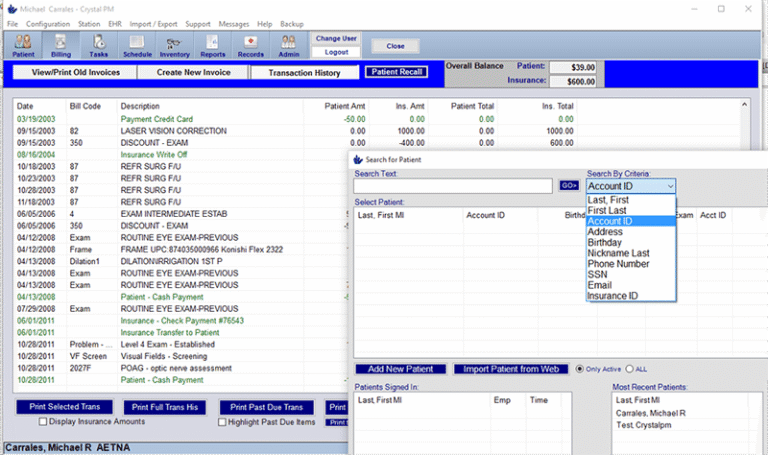
A Crystal Practice Management login allows administrative staff for reimbursement monitoring, claims scrubbing, claims submissions, payment postings, accurate filing, deposit verification, and rejection/denial management.
Practitioners can be equipped with actionable indicators regarding practical performance, patient experience, and productivity through comprehensive analytical reports. These reports lead to better, more informed, and more impactful decision-making.
Practitioners can provide patients with a safe space to coordinate with their healthcare providers. They can also access their medical records, request medication refills, view invoices, pay online, fill forms, and benefit from educational material.
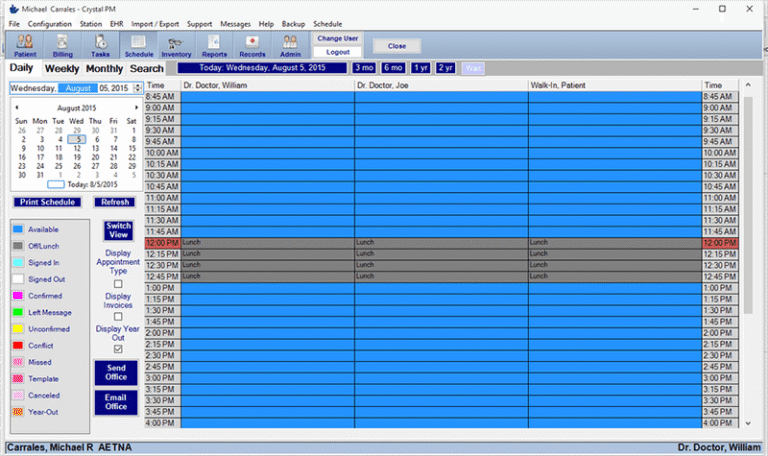
These AI-based tools enable patients to self-schedule appointments that remove the administrative burden from your staff members.
Medical personnel can always visualize the comprehensive inventory levels and order to keep them optimal. These steps keep the practice operations smooth and quick.
See The Software In Action Watch Free Demo!
Top Recommended Software






Crystal Practice Management Pros and Cons
Crystal Practice Management Reviews
My software review
Pros
The platform has been a dependable part of our daily operations. It handles core tasks smoothly and keeps everything organized without adding complexity.
Cons
Limited advanced customization options.
An excellent System
Pros
The software offers a good mix of features that support our workflow and improve efficiency. It covers most of our needs, though there are occasional areas where improvements could enhance usability. Still, it delivers solid value for the price.
Cons
Occasional lag in updates or syncing.
Frequently Asked Questions (FAQs)
Certainly not, the Crystal software does not have a free plan available.
Yes, Crystal PM is cloud-based.
English is the language that CrystalPM supports.
Crystal EHR allows buyers to get answers through chat assistance, phone, ticket submission, and email. You can also get details about the Crystal PM pricing.
There is no Crystal EMR mobile app that provides remote accessibility. Users can access the functionalities of this software platform through a single Crystal PM login on a web browser.
Yes, the Crystal EMR API is available.
According to CrystalPM reviews, this practice management software supports iOS and Android handheld devices, with a requirement for a Crystal practice management login to access the dashboard.
There is no Crystal free trial option, but you can request a free demo.
