Cliniko Features

Explore what Cliniko offers — from day-to-day workflows to advanced capabilities.

5 features

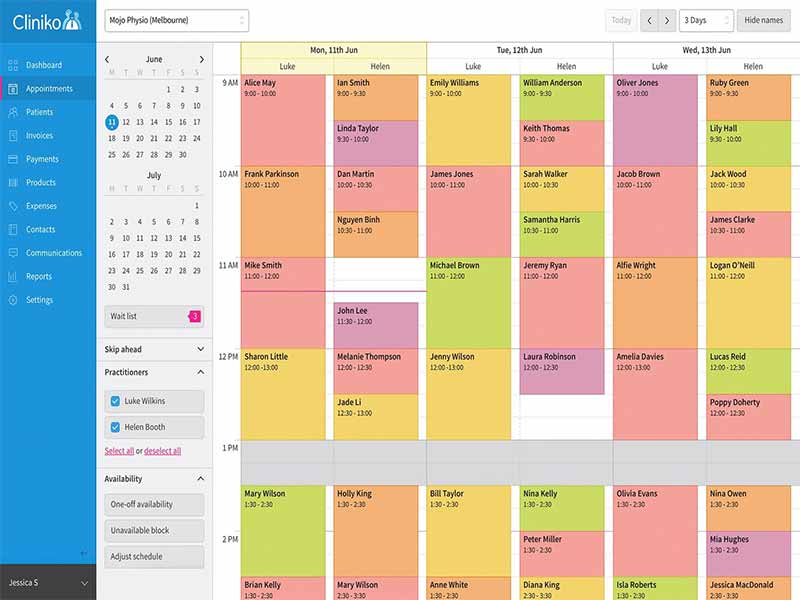
Appointment Calendar

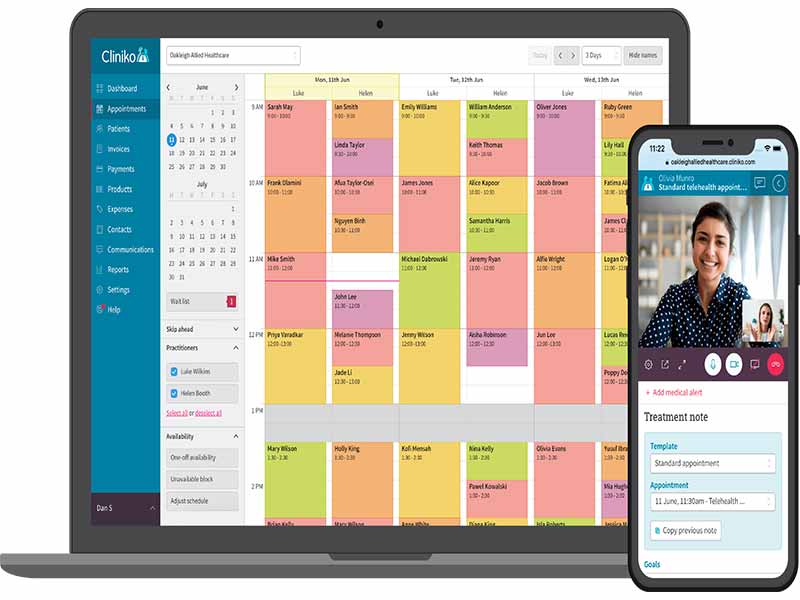
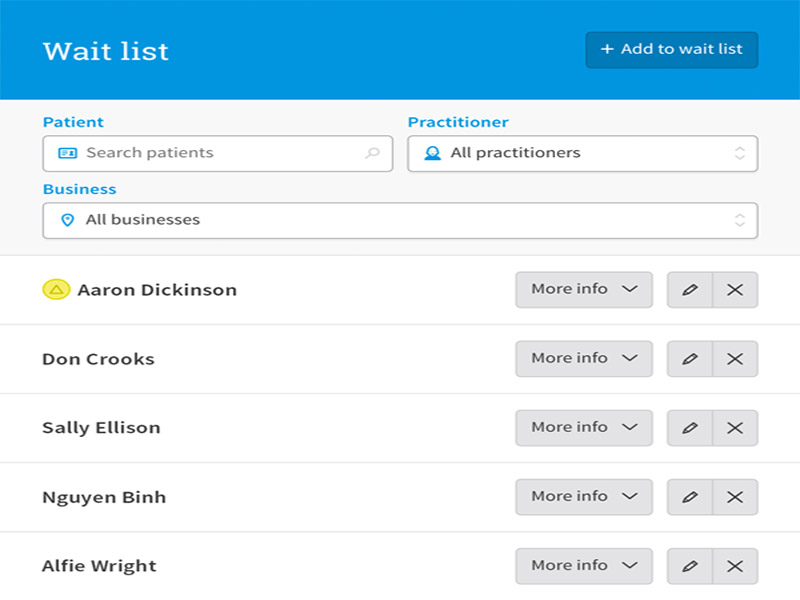
Cliniko EMR offers a clean, intuitive appointment calendar designed to simplify scheduling for busy clinics. You can manage bookings with flexible views, set recurring appointments, and enable all-time online bookings. Automated reminders and confirmations help reduce no-shows, while real-time updates keep your entire team aligned.

Monitoring and Reporting

Clinko provides detailed reporting tools that give a clear view of your clinic’s performance. You can track appointments, practitioner activity, and business growth over time. These insights help identify trends, measure marketing effectiveness, and support smarter decision-making.

Finance Management

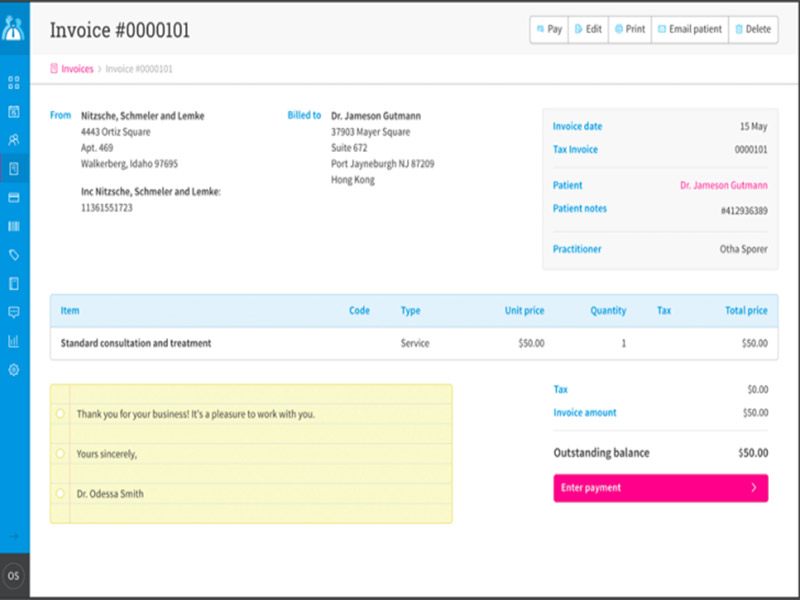
Managing finances becomes straightforward with Cliniko’s built-in tools for invoices, payments, expenses, and taxes. All financial data is automatically linked with patient records and appointment history, ensuring accuracy and saving time. This centralized approach helps clinics stay organized while maintaining a clear overview of their revenue and transactions.

Configurable Templates

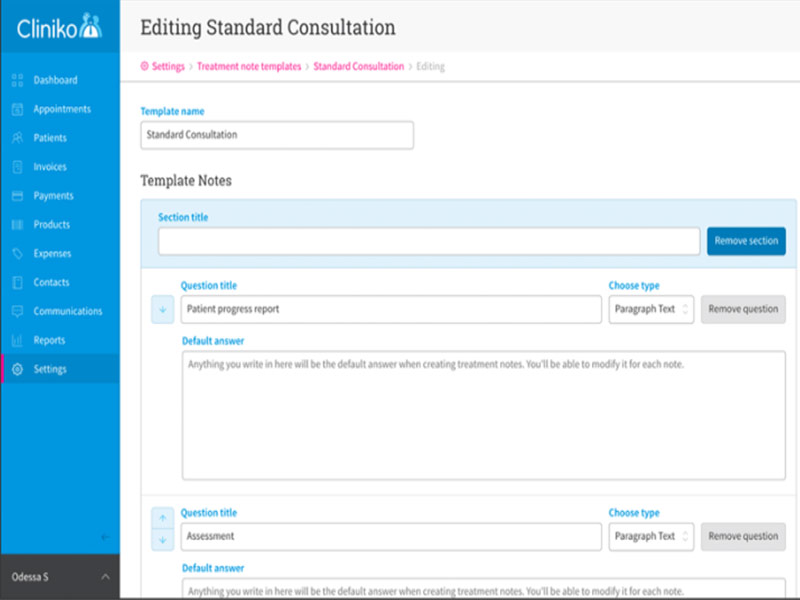
Clinico allows you to create fully customizable treatment note templates tailored to your workflow. Whether simple or detailed, templates can be adjusted for different practitioners or specialties. This flexibility speeds up documentation, ensures consistency in records, and allows clinics to capture exactly the information they need without unnecessary steps.

Medical Alerts and Body Charts

Clinikos enhances patient care with built-in medical alerts and body charts. Alerts highlight critical patient information at a glance, helping practitioners stay informed during consultations. Body charts allow visual documentation of conditions or treatments, making records more precise and easier to interpret for both clinicians and patients.

What is Cliniko?

Clinko is an all-in-one practice management software designed for clinics and allied health practitioners. It helps streamline day-to-day tasks, from managing schedules and treatment records to handling invoices and payments. Trusted by practitioners globally, Cliniko login ensures secure storage of client records, making it a reliable solution for clinics seeking effectiveness, accuracy, and enhanced patient care.

Cliniko Integrations

Third-party apps and tools integrations are supported by this EMR software solution, which includes:

  • Avaana 
  • Xero
  • HotDoc
  • Mailchimp 
  • MyCare Plus
  • AskNicely

What Is The Cliniko System Best For?

Clinikos integrates with connected apps to extend its functionality. Sync with tools like MailChimp for targeted email campaigns or Xero for financial management. Regular software updates keep liniko on the cutting edge, adding new features like appointment change notifications to enhance user experience and clinic operations.

How To Use Clinico Software?

Add your unique credentials on the official website for Cliniko login and navigate to the dashboard for exploration. Follow the provided instructions to utilize this system to the fullest:

  • Sign up for an account on the official website and log in to your unique dashboard.
  • Head to the “Settings” menu to enter your business name, location, and contact details.
  • Upload your clinic logo in the “Logos” section, so it appears on all your invoices and letters.
  • Navigate to “Users & Practitioners” to add your team members and set their specific access levels.
  • Input your working hours and break times in the “Practitioner” settings to build your availability.
  • Set up “Appointment Types” by defining the name, duration, and price for each service you offer.
  • Toggle “Online Bookings” to give patients the freedom to book 24/7 from any device.
  • Integrate your account with Stripe if you want to collect payments at the time of booking.
  • Create “Treatment Note Templates” to quickly document sessions using your own custom fields.
  • Click the “Calendar” tab to start booking appointments by simply selecting an open time slot.
  • Use the “Invoices” section to generate bills instantly from completed appointments.
  • Enable “Two-Factor Authentication” in your profile settings to keep patient data extra secure.
  • Sync your Cliniko calendar with Google Calendar or your mobile device to stay updated on the go.

Schedule a free Cliniko demo for more details regarding the usage, features, and integrations of this system.

How Much Is Cliniko Pricing?

The Cliniko cost depends on the scale of operations and practitioner volume. The subscription plans include all offered functionalities, all-time tracking, and always available client assistance services without any data migration expense. The plans are as follows:

  • 1 practitioner: $45/month
  • 2-5 practitioner: $95/month
  • 6-8 practitioner: $145/month
  • 9-12 practitioner: $195/month
  • 13-25 practitioner: $295/month
  • 26-200 practitioner: $395/month

To know more regarding the third-party and internal expenses of this system, connect with the sales team. You can also request a tailored Cliniko pricing quote based on your unique practice needs and user volume.

Note: The pricing can change over time. 

Who Can Use Cliniko EHR?

The Clinico platform can be leveraged by all scales of operations of health practices and clinics. This software can be utilized by:

  • Psychologists
  • Speech pathologists
  • Allied healthcare professionals
  • Nutritionists
  • Physiotherapists

Is Cliniko The Right Platform?

Cliniko is an all-in-one practice management tool that simplifies daily clinic operations. It provides a secure, cloud-based environment where you can manage schedules, patient records, and billing with ease. This platform supports everything from solo startups to large multi-location businesses. With top-tier certifications like ISO 27001 and SOC 2 Type 2, it ensures full compliance with global standards, including HIPAA, GDPR, and PIPEDA. Your data is protected by bank-grade encryption and daily backups, giving you total peace of mind.

If you are uncertain regarding the suitability of this platform for your software operations, then connect with our software experts, they will answer all your user queries. You can also watch a free demo and read unbiased Cliniko reviews.


Patient Portal Not included
Mobile App Included
Claims Management Not included
Patient Demographics Not included
HIPAA Compliance Included
e-Prescriptions Not included
Telehealth Included
Payment/Billing Included
Administrative Management Included
Invoicing Included
Laboratory Integrations Not included
Personalized Forms Included
Appointment Scheduling Included

Pros

5
  • Consistent client services
  • Intuitive interface
  • Allows online appointment bookings
  • Offers online chat assistance
  • SMS appointment alerts are available

Cons

2
  • There is a training curve for software beginners
  • Initial setup intricacies have been reported

Cliniko Reviews

Overall Rating

4.7

7 Review(s)

Rating Distribution

5

(5)

4

(2)

3

(0)

2

(0)

1

(0)

Share your experience
Lotti

Medical practice

Ease of use
9
Value for money
8
Customer Support
9
Functionality
9

A must have system

Pros

The platform is easy to use and adapts well to our needs. It supports clients, staff, and management while keeping daily operations smooth and efficient.

Cons

I think it would be useful to have the option to block specific time slots for certain appointment types.

Jennifer

Medical practice

Ease of use
8
Value for money
10
Customer Support
8
Functionality
8

Streamlines our operations

Pros

Cliniko has made appointment scheduling much easier and more efficient. It keeps everything organized and helps the clinic run smoothly. It works really well overall.

Cons

There are no issues to mention. The software works as expected and performs reliably.

Mark Jill

Medical practice

Ease of use
8
Value for money
10
Customer Support
10
Functionality
8

Effective and simple

Pros

My experience with Cliniko has been great. Even our therapists appreciate the flexibility to manage schedules from anywhere. The system is easy to understand, and I had no trouble learning scheduling on my first day.

Cons

I would like to see an option to automate data exports instead of relying on support.

Frequently Asked Questions

Certainly not, the Cliniko software does not have a free plan available.

Yes, Clinico is cloud-based. 

English is the language that Clinko supports.

Clinikos allows buyers to get answers through community forums, phone support, chat assistance, help guides, knowledge base, and email. You can also get details about the Cliniko pricing.

There is no Cliniko mobile app feasibility yet. Users can access the functionalities of this software platform through a single Cliniko login on the web. 

Yes, the Cliniko REST-based API is available.

Certainly, iOS and Android handheld devices are supported by this practice management software, with a requirement for a Cliniko login to access the dashboard, according to Cliniko reviews.

Yes, there is a Liniko free trial option for 30 days, and you can also request a free demo.